Here’s a Simple, Easy Way to Test Out Your Website Creation Skills

Standard

Websites for Newbies

Have you ever thought about making your own website but were scared away by not knowing what you’d actually do with it?

If so, Adobe’s new app Slate gives you the perfect opportunity to try out the concept with zero commitment, zero learning and very little time investment.  The end result may surprise you because Adobe has spent a lot of time and effort figuring out how to make beautiful websites that are super easy to create and accessible to everyone for free.

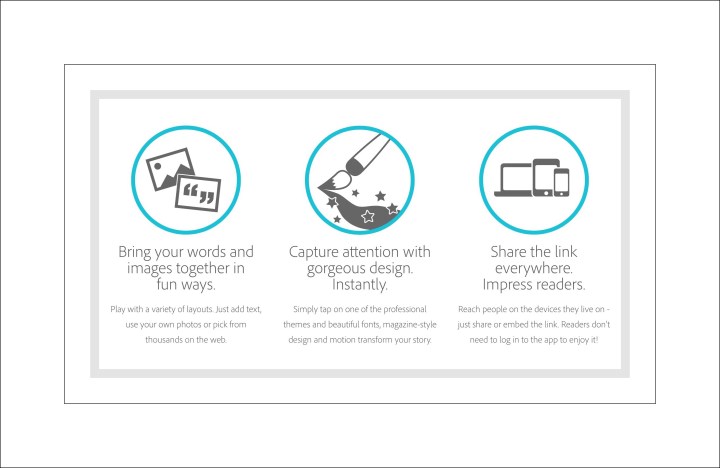
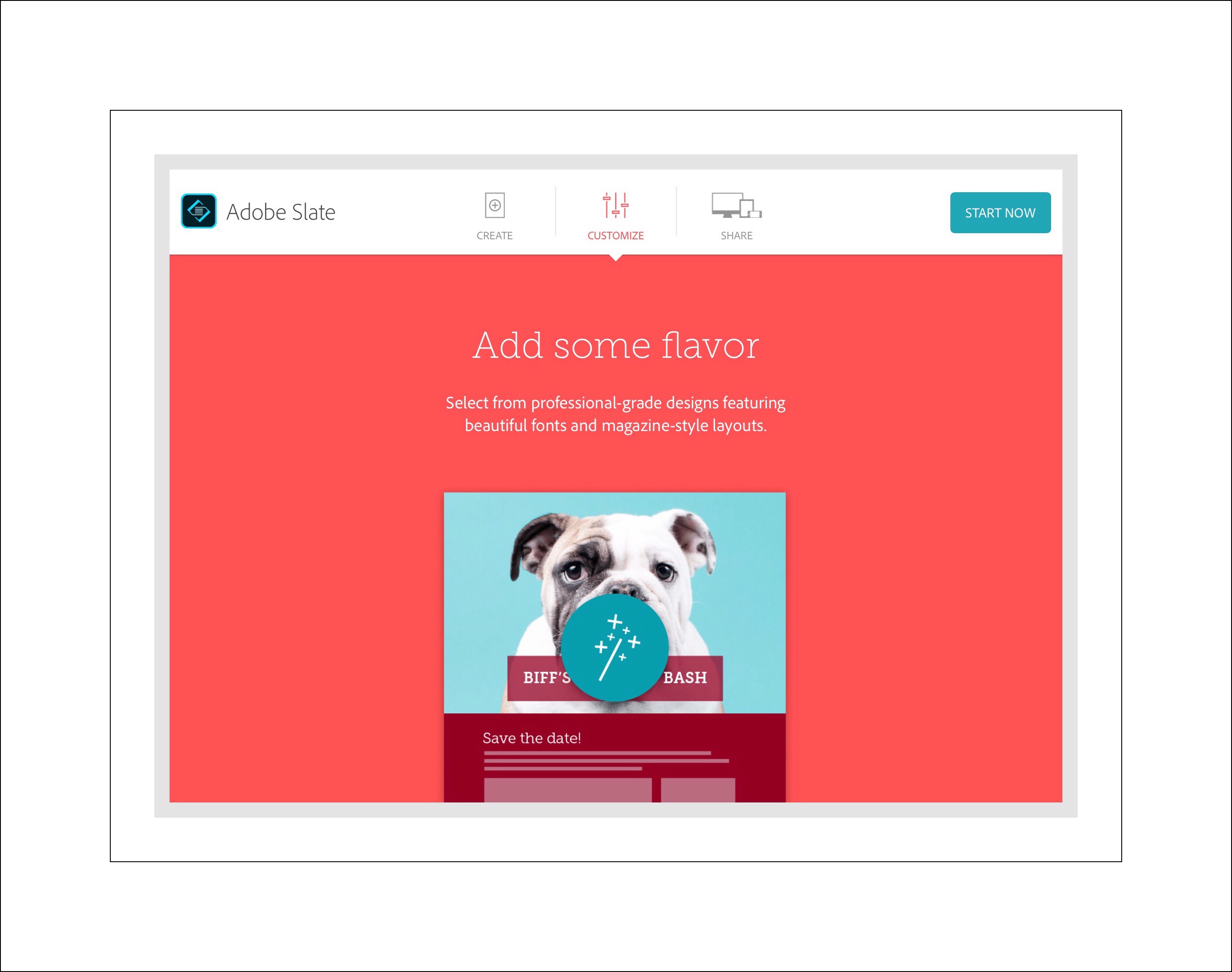
Adobe Slate process

What is Adobe Slate?  It’s a brand new, easy way for anyone to create their own one page website…for free!  Slate was released in April 2015 with an app for the iPad first.  But Adobe seems to be really, genuinely committed to making simple and beautiful creation tools available to everyone.  They followed up the iPad release with a web app in October 2015.  Apps for iPhone and Android devices are said to be in the works.

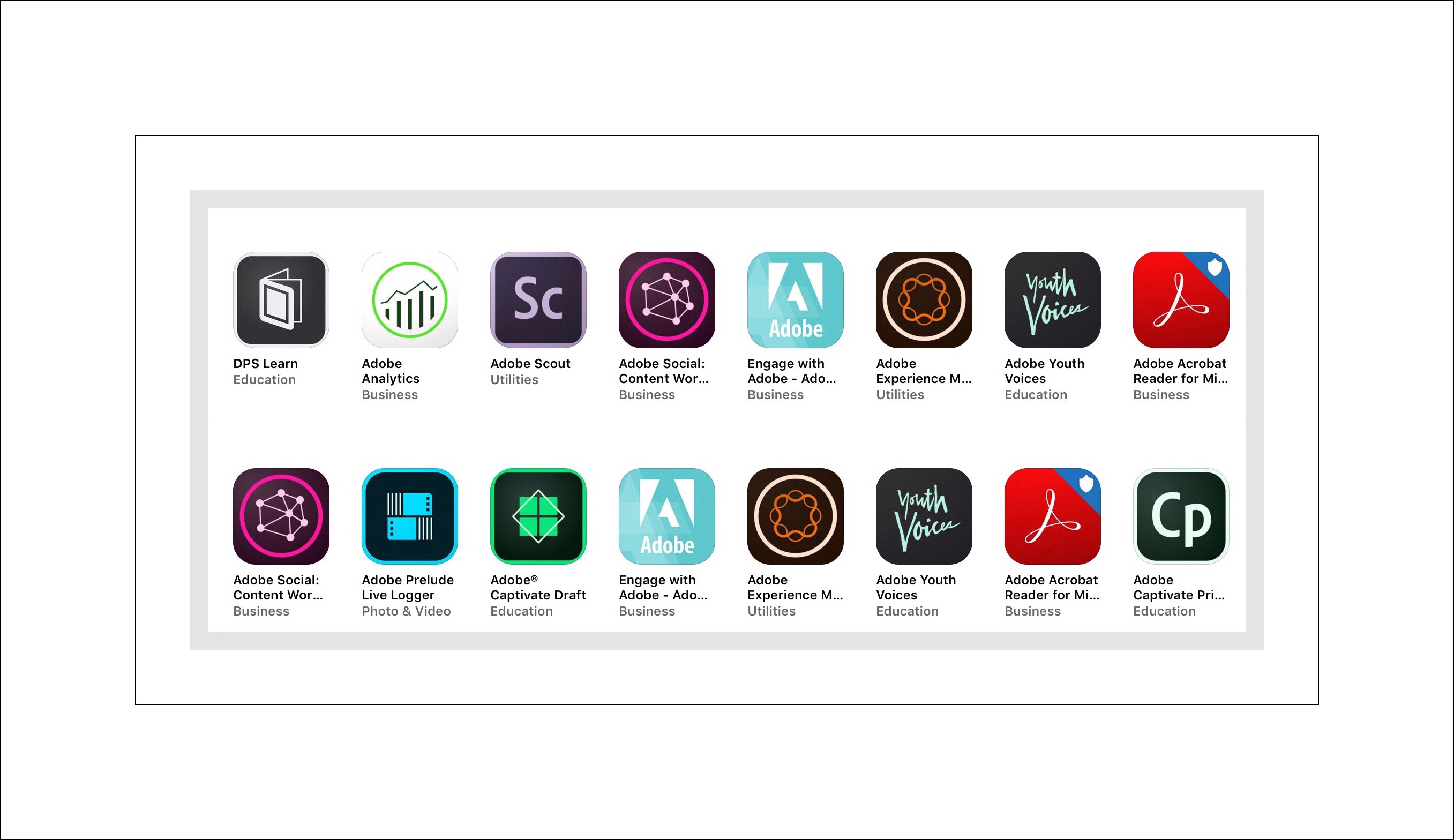
If you haven’t explored the free apps that Adoboe has come up with in the last few years for ios, you really should.  There’s a wealth of free tools that give users access to surprisingly powerful creation and editing functions that at one time in the not too distant past was only possible using computers.  Below is a sampling of Adobe’s current apps for iPhones and iPads.

imageimage


imageimage

What You Need to Get Started

In addition to being free and simple, all it takes to get started is either a Facebook account or an email address, and, either a computer or an iPad.

You need the email or Facebook account to create and signin to an Adobe ID and Adobe’s Creative Cloud Service.  Anyone who setups this free account gets 2GB’s of free storage.  Be forewarned that Adobe will try to upsell you a 20GB plan for $1.99 a month…but don’t even consider this because I’ve been using many of Adobe’s Creative Cloud apps for years and I’m nowhere near the 2GB limit yet.  Plus that, your new Slate creations won’t even count against your Creative Cloud storage.  Rather, Adobe provides a link for your new site that they host for free at Slate.com.

The 2nd thing you’ll need is an iPad or a computer. Sadly, Adobe has not yet made the Slate app available for iPhones or Android users.

Link to iPad app Slate

Link to the web app Slate

What You Could Do with Your Website

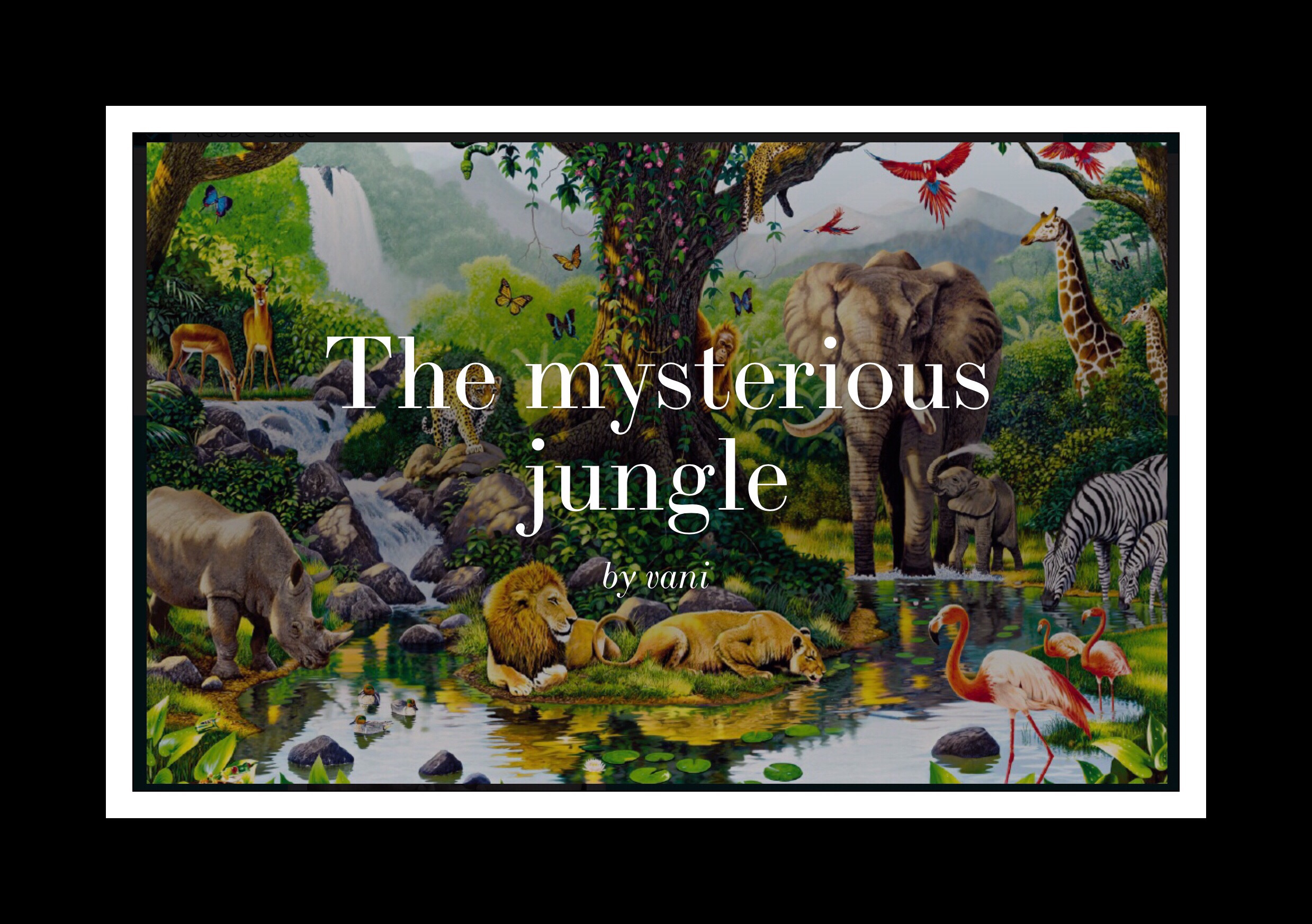
Here are some examples of what others have done with their Slate websites.  The first 2 examples were created by kids.  The 2nd 2 show one small business owner’s weekly newsletter and one photographer’s photo journal of a recent encounter with Snowy owls.

imageimage


imageimage

Which brings me to a suggestion for anyone who’s ever considered the idea of creating a website but isn’t sure what to do with it yet.

Everyone has photographs they would like to share.  Whether it’s photos from a recent event or get-together or old ones that have been scanned in to share and reminisce with friends and family.  But few people actually ever share their virtual photo albums because finding good ways to share them has, up until now, been difficult.

There Just Aren’t Good Ways to Easily Share a Simple Photo Album with Friends and Family

Consider the alternatives right now (in February 2016.)  Facebook is a great alternative if all of your friends and family are on Facebook…but everyone I know has at least a few holdouts who just won’t get with the program.  iCloud photo sharing isn’t as simple or easy as it claims to be, therefore it’s just never taken off the way Apple had intended.  Plus that, although iCloud photos can be shared with non ios people…no on really knows that!  Like iCloud Photos, Google Photos is amazing, but it’s also not all that easy and intuitive to use.  And can be even harder to share!

The main problem with all of the current methods of sharing photos is that they are limited by who can participate or they just take too much time and effort to actually be useful for most people.

That’s where Adobe Slate really shines.  It gives virtually everyone a really simple way to quickly and easily share some photos with EVERYONE!  No one is excluded…because the end product is a simple one page website that was easy to make and stunning for even those of us who didn’t inherit the creative gene.

image

image

image

Why Don’t You Give Slate a Try and Post a Link to What You Make in the Comments Section Below?

Go back

Your message has been sent

Warning
Warning
Warning
Warning

Warning.

Further Reading

Here are a few links to additional resources about Adobe Slate

Adobe’s webpage introduces Slate and gives some good examples

This MacWorld review fills in a lot of the details about Slate that I skipped in order to keep this short

A Unique Method to Stop Hangnails or Fix Split Cuticles

Standard
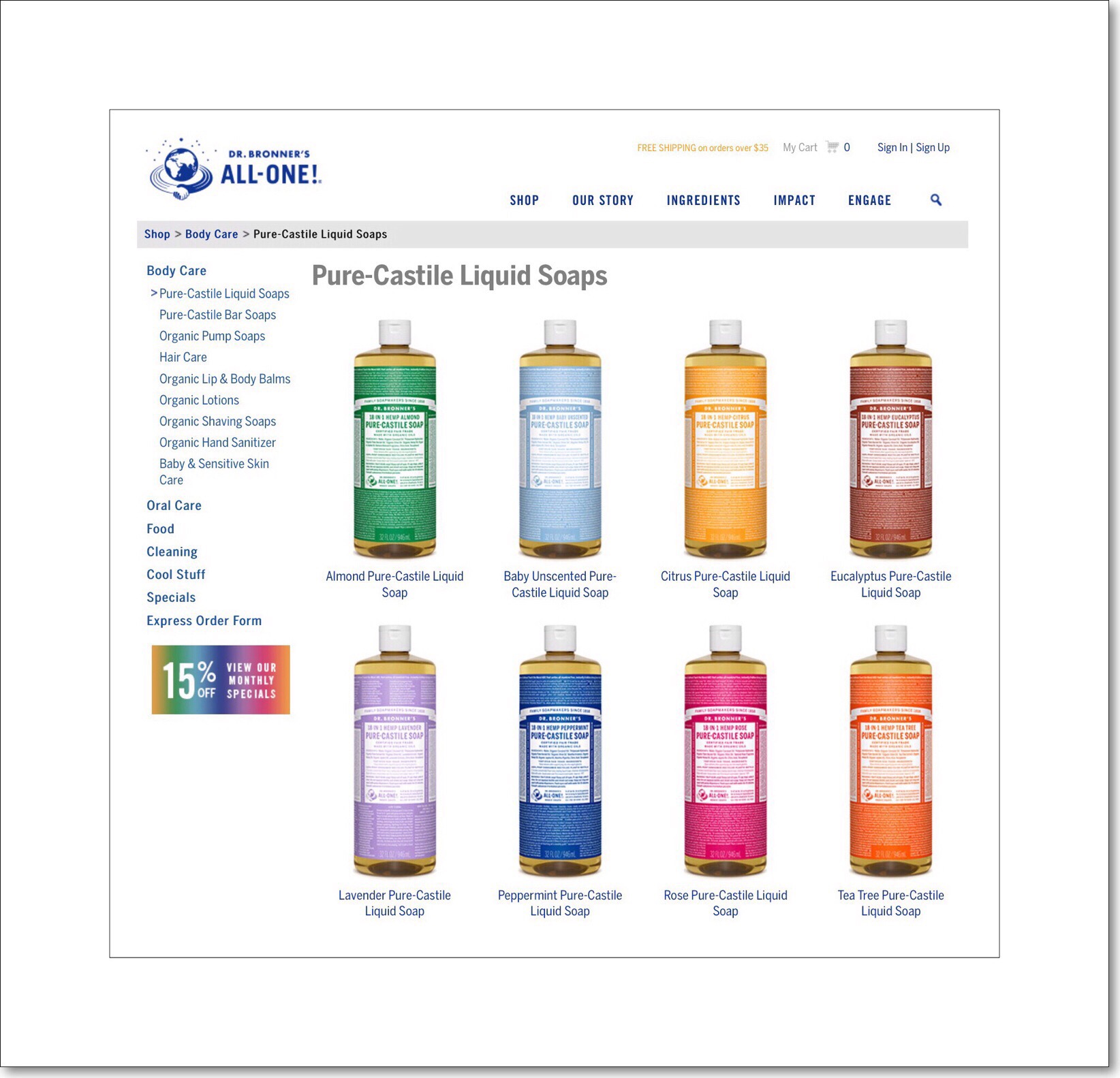
All the Dr. Bornner's Liquid Soaps together look cool!

I accidentally discovered a cure for my troublesome hangnail problem that plagues me every winter…here’s my story…

I’ve had a lot of problems with hangnails my entire life…for at least as long as I can remember.  If you don’t know what hangnails are…they occur when the skin around your fingernails and cuticles becomes so dry that splits and cracks occur which can be both extremely painful and immensely bothersome.

I usually get them in the winter.  The fact that I live in Wisconsin and it’s cold and dry here in the winter is primarily to blame.  But nothing I’ve tried throughout the years has helped much.  I’ve used tons of hand lotions, I’ve rubbed many different kinds of lubricating oils and creams into my cuticles…you name it and I’ve probably tried it…but nothing has ever really helped.  Probably my most successful treatment to date has been lanolin.  But lanolin is sticky and messy.

My 94 year old Dad has also had this condition most of his adult life…that’s a really long time!  His preferred treatment is rubbing Chapsitck onto his cuticles in the winter. This still happens even though he moved to Florida many years ago.

I was really thrilled a few winters back when I seemed to have discovered the easiest and least time-consuming method of completely fixing this problem for me and my Dad.

Originally I wrote this post for my Dad’s 90th birthday (roughly 4 years ago.) I made this soap for him and also bought a nice looking foaming soap dispenser that I put his liquid soap into. I thought that sharing this post would provide a great introduction for him on Dr. Bronners and on the concept of custom blending your own soaps. I figured it would also explain why I even bothered ‘making’ my own soap.

The entire product line of Dr. Bronner's Liquid Castile Soad
The entire product line of Dr. Bronner’s Liquid Castile Soap

How I Accidently Discovered A Great Preventive Measure

Dr. Bronner’s Castile Soap…the liquid kind is what I discovered…I think that any scent (or variety) would work equally well although I’m using Peppermint currently because I like the smell.  My discovery really occurred accidentally when I found a large bottle of the peppermint version of Dr. Bronners at our local Costco.

When our kitchen sink soap dispenser ran out of liquid soap I put Dr. Bronner’s in it in place of what had previously been there. At first I thought that I’d made a huge mistake because the soap leaves a white, waxy residue behind which ultimately ends up coating the entire bottom potion of the sink’s walls. Since our kitchen sink is white, the overall appearance wasn’t too awful…it just kind of changed from a glossy finish to a matte one. But the idea of the waxy residue being there and building up more and more over time really bothered me. Because, it was there, and I suspected that it may not be good in some circumstances.

For example…that residue can clog many soap dispensers.  I tried this soap mixture in a few different electric soap dispensers but all of them did get clogged! But the soap dispenser that’s built into our kitchen sink isn’t electric and didn’t clog.  So I decided that our sink becoming slightly coated with this fine white residue was a side effect I was willing to live with.

2 factors improved that situation a lot. First, where the white residue was most noticeable was on the black rubber gasket which surrounds the drain area of our sink…the gasket is for the disposal.  A few weeks later we replaced the disposal…for unrelated reasons, and the new gasket has a bit of sheen to it which repels the white residue completely!

2nd I discovered that after cleaning out double sink ultra thoroughly, until it was shining (using the nondestructive scouring powder, Bon Ami primarily,) once again, the shininess repelled the residue. So, there’s an added incentive to keep our kitchens sinks super clean!

Benefits of My ‘Protective’ Soap Mixture

It Lasts a Long Time

Upon going to add more soap to the kitchen dispenser after a weeks time, I discovered that we really didn’t need any more! Had we been using our regular soap, ( clear, generic soap sold in massive sized containers,) it would have been close to running out. But because Dr. Bronner’s liquid soap is so thin and runny we’d barely used any of it. That’s certainly a huge plus!

My Hang Nails Disappeared!

As I contemplated how much money we’d save it all of a sudden dawned on me that for the first time in my adult life it was winter-time and I had no hangnails!  Since I wasn’t doing anything else differently nor had I begun using any new products, it had to be the Dr. Bronner’ soap.  

I proceeded to conduct a little online research and I learned that Dr. Bronner’s soap most likely  is the reason for my miraculous ‘recovery’.  Not only that but I learned that I can get rid of the white residue build-up by simply diluting the soap with water.

It’s Inexpensive!

Diluting Dr. Bronner’s soap with anywhere from 50% to 80% water, and then adding few drops of essential oil to the mixture as a preservative, (any kind of natural oil works…I’m currently using eucalyptus.) brings the total cost down even further!

My Recipe

Here are my directions and the recipe for my current soap mixture. You can add this highly diluted mixture to any soap dispenser without fearing clogs!

  • Water – Add enough water to make your proportions equivalent to this…1/3 Dr. Bronners soap and 2/3’s water. If you really want to maximize your cost savings you can use a more aggressive dilution ratio…such as 1/4 Dr. Bronners and 3/4 water. Apparently Dr. Bronner’s soap is always diluted with use.
  • Add about 10 drops of essential oil (even olive oil will work,) as a preservative. Without it, you may notice that the scent of your soap mixture degrades overtime and becomes sort of ‘mildew scented.’ For scents, I prefer using something which has either a similar or a complementary scent to it.
  • Place all ingredients into a soap dispenser and gently move the dispenser around a little bit to get everything mixed up well (without creating too many soap suds!)

That’s the soap I use whenever I wash my hands.  The skin on my hands doesn’t seem to dry out much and my hands feel almost moisturized…although I follow up each washing with hand lotion too.  Just because I happen to really like lotion.  Within a months time of using only this soap on my hands my normal ‘extremely hangnail prone cuticles’ aren’t anymore.  My cuticles seem to be healthier than they’ve ever been in my adult life.

Product Links

Peppermint Dr. Bronner's Castile Soap

Here’s a link to the 32oz Peppermint version that I got…it’s currently $17.99 (Jan 2016).  I’m not an Amazon affiliate, but I’m thinking about becoming one…if I do it that will probably be in the Spring of 2016 by the time I get around to it :-)  Remember, I purchased my bottle from Costco at a local store, and sadly don’t remember how much I paid for it.

Here’s a link to the full line at Dr. Bronner’s website and their online store.  The price for a 32oz bottle there is the same as it is at Amazon but what’s great about their site is that they offer the liquid soap in many different sizes.  Anything from a 2 oz size to a gallon size with lots of sizes in between.  My link above is for all sizes of the Tea Tree Oil version, which I’ve read is very good for acne sufferers.  That seems logical to me since Tea Tree Oil has natural antibacterial properties.

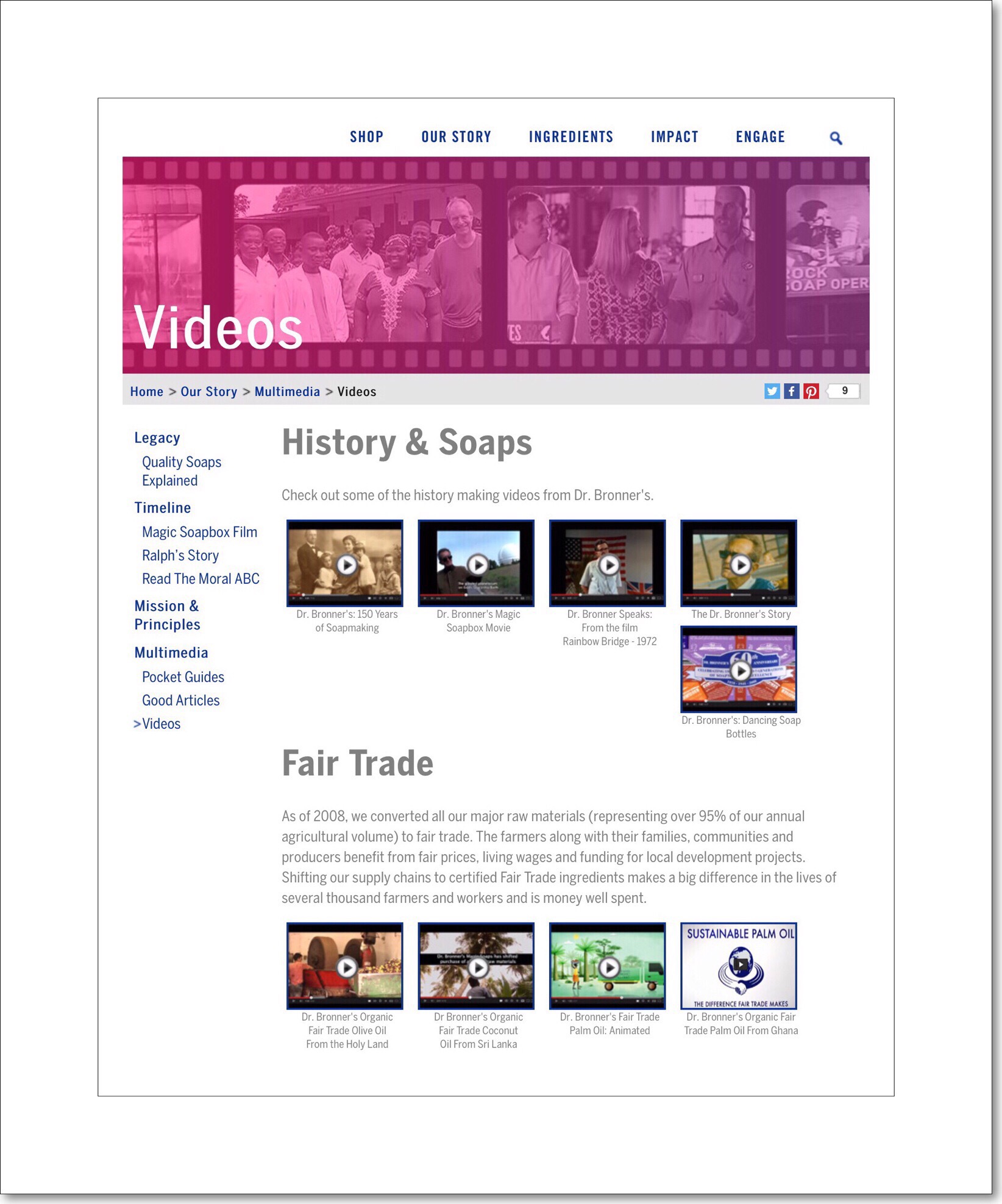
History and videos of Dr. Bronner's
A bit of history & some videos of Dr. Bronner’s

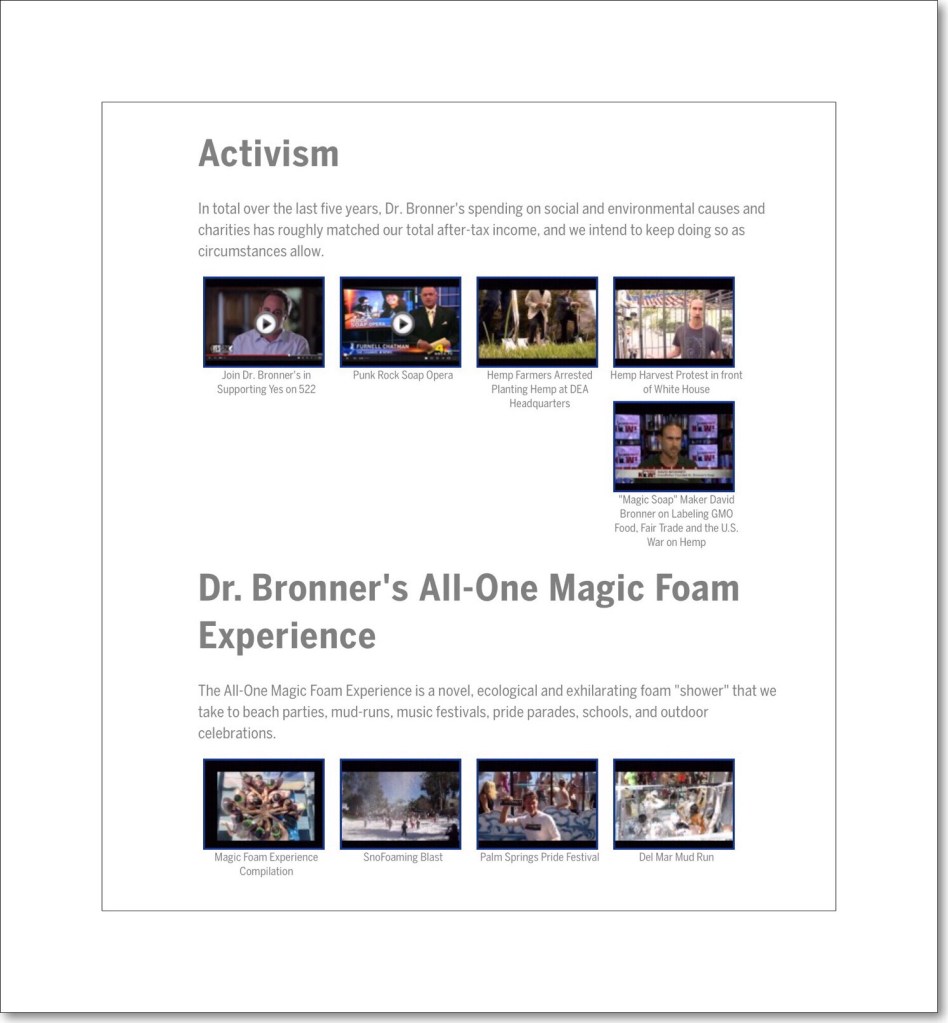
If you’re interested in learning more about how Dr. Bronner’s came into existence, the company’s history and the history of many of their products, they have one page of their site dedicated to some great and informative videos.

More background of the Dr. Bronner's Company


Conclusion

I like to use Dr. Bronner’s in a

Best Tools for Saving Online Reading Content  & Increasing Productivity

led light display in Houston, TX
Standard

Updates:

Fall 2016 | Many big changes are happening at Evernote. I’ll be writing a new post about the completely new Evernote 8 shortly so please be aware that much of the information regarding EV below is out of date. They’ve changed their fee structure and there still is a free plan, but it’s less robust than before. But they’ve added so many great new features that I don’t think many people will be upset. You can read my more recent post which compares the new updated Apple Notes to Evernote for more updated information…especially about Apple Notes…which is now a contender as a robust Notes app…but the Evernote information still needs updating.

Also, what a difference a year makes!  My own main blogs have really taken off and I now get between 130 – 150 visitors every day arriving at vsatips.  vsatips is my first blog and it will always remain my favorite…and the one I write for most frequently. I do get that while this is super exciting for me…it may be less so for you. But in the interest of accuracy, I just couldn’t let the old stats stand!

Read My Newest Post:  Instapaper is Now Completely Free

Jan. 2016 | Look for my section *Recent Update and News About Instapaper to learn more about Instapaper’s news

Main Article |

Apps I Use For Saving Reading Content

I’m almost always multi-tasking. Since becoming an empty nester and beginning my 2nd career I realize I’m playing ‘catch-up’ and don’t have a minute to waste!  ‘Read Later’ apps are one of the best innovations for serious multi-taskers.

I primarily use ios devices…iPads and iPhones. But I also use an Android tablet (currently the Samsung Galaxy Tab S 7″) Windows 7 computers and a Mac Mini.  Why does this matter?  Because the apps I rely on for daily tasks need to work on all these platforms…and not just work, but work well.  So for saving reading content I must be able to save things on any platform, using any device. This post discusses my 2 favorite apps and highlights a few great aspects of those.

Introduction & Background

I read a lot.  But I don’t read as many books as most of my friends and family.  The vast bulk of my reading is online articles and blogs which help make me more productive or which teach me things. In my case, the main types of things I read revolve around a few central themes:

  • Tech topics – focusing primarily on reviews of tech and hardware, articles about how to accomplish something and upcoming technology and trends
  • Blogging & Publishing Content Online – I have 3 main websites that I write for vsatrends, vsatips, and Hubpages.  In addition I maintain 3 primary websites for my family…one is our Christmas News site, one is for my siblings and parents about possessions we’re trying to find homes for as my parents downsize, and one  is for my husband’s photography.  Then I have a few more random sites I rarely add new content to, but use primarily for testing purposes.  I’m constantly reading for various aspects of maintaining these sites…everything from using specific platform’s editors, to considering alternatives for earning an income stream…and everything in between.
  • Health & Medical Issues – As both my parents as well as I, my husband and my siblings age, I find myself spending a lot of time researching many health problems and possible solutions.
  • Random fascinating topics from my favorite news aggregators including Twitter and WordPress and to a lesser extent Tumblr and Facebook.

My 2 Primary ‘Read Later’ Resources are Evernote & Instapaper

Evernote Icon

Evernote has been my favorite app for saving interesting content for years. The flexibility EV gives me in terms of the types of things I can save as well as the alternatives for reusing that content is unsurpassed. But sometimes I need something that’s designed just for reading…a one function app with a richer experience for that 1 thing…that’s where Instapaper comes in.

Evernote

I’ve written a lot about how much I love Evernote and how it’s changed my life.  Essentially Evernote allows me to manage large amounts of data that I wouldn’t be able to otherwise.  Most of these articles are found on my vsatips website, under the main menu item ‘Evernote.’  In the year and half time-frame that I’ve been publishing my ‘How To’ tips at vsatips, there is one piece I’ve written that has far surpassed all the others in terms of visitors and views.

On average, 20 to 30 people a day visit my site.  They come from all corners of the world which I find really astonishing!  Of those visitors at least half of them arrive daily to read just one post.  This extremely popular post, ( well popular for me at least) discusses how to incorporate the use of colored fonts, plus use a variety of different font types and sizes in Evernote’s mobile apps.  Here’s a link to that article. I think the reason why this one post has so much traffic is because Evernote has such a huge user base worldwide.  If over a billion people are using it it’s gotta be good right?  Seriously, I have no idea if that’s how high their numbers have grown to, but given their draw I wouldn’t be surprised.

Why is Evernote so popular?  Well, for one thing Evernote is free . In 2016 Evernote drastically revamped both their not taking apps for mobile users as well as their plans and pricing structure. Evernote still is free…but if you have a lot of devices and want data synced to all of them you will now need a paid plan. The free plan allows you to sync between 2 devices. But there are also several tiers and prices so you more easily pick and choose which options are best for you and just pay for those.

In addition to being free Evernote it works on almost any platform known to man…well known to Americans at least.  There are versions for (i.e. Windows, Mac, ios, Android, Blackberry etc.)   I’ve only encountered one device or situation for which I was not able to readily find a version of EV to download. So, I think really what makes Evernote so brilliant is how seamlessly the apps synced data across your devices with no effort on your part. It’s a great tool if you’re attempting to remove clutter and paper in you life and by digitizing much of it and storing it within Evernote.

You can download it for ios here…or find the links to other platforms too.   If you end up loving Evernote as much as I do, you’ll probably end up considering a paid plan which gives you added features and services.  I use the Premium version primarily for the added security features like encrypting parts of my note and adding a PIN to open the app on mobile devices.  My plan is $40 per year…if you’d like to try Premium out for 1 month free you can use this link.
InstaPaper Icon

Instapaper

*Recent Update and News About Instapaper 

In early 2016 InstaPaper came out with a brand new, vastly improved website parser (in English that means basically a massive rewrite of most of the service’s code) which makes its:

  • Faster
  • Many more new features
  • Better looking – a whole new modern interface

Some of the new features include the ability to capture and play videos inline…(essentially that means you can play videos attached to news articles right within the app now.)

I’ve learned more about the Read Out Loud feature they added last year.  It’s available to everyone both free and premium users but premium users can use the playlist function to que up several articles to be read out loud in quick succession to you. But it’s also available to Android users and even to Apple Watch users…so now your watch can read articles out loud to you!  That’s so cool!!!

In 2015 they also introduced a ton of new upgrades you can learn about at their blog including a speed reading feature which you can learn more about as well as a lot of new features for Android and ios (including 3D Touch support, iPad multitasking and PIP videos for iPads).

Another Recent Post: My Complete Guide to Instapaper for ios

Original Instapaper Overview

Instapaper is a free or paid service that lets you save reading material that you find online for future reading.  The free service works great, but if you want to write notes and highlight things as you read them, which I do a lot of, then getting a Premium subscription that costs $29.99 per year* is the best way to go.  You can add the paid Premium plan right within the ios app.

This is how Instapaper describes their service in the App Store:  “Instapaper turns web content – articles, stories, posts, videos, and even long emails – into a great reading experience.”

“Over the course of your day, you’ll encounter things you want to save for later. With Instapaper, you simply push a button in your browser, or choose “send to Instapaper” in a linked mobile app. Instapaper then saves it for you, and makes it available in a beautiful, uncluttered, reading-optimized format on your mobile phone, your tablet, your Kindle, or your browser.”

What I’ve always loved about Instapaper is that you can save virtually any webpage you might run across in a nice clean format for later reading.  But what I love even more is a feature I just discovered that lets you create a playlist with any of your saved content and have it ‘Read Out Loud’ to you.  I had a lot of problems finding any instructions explaining how to use this feature, so I made this little video that explains the steps.

*Remember to read the article I linked to at the very top about how Instapaper is now free for everyone!
YouTube VideoInstapaper App for iPad App Store Link

Instapaper is extremely powerful yet the app is also quite streamlined too.  This can be both good and bad.  On the good side, for someone like me who has extreme ADHD, the streamlined, uncluttered presentation of content is perfect.  But getting started using it can be confusing for the same reason.  Which is why I was thrilled to stumble upon their blog recently.

The Instapaper Blog

Instapaper’s blog provides some great, quick ‘how to’ help.  I’m including links to some of the best things I found below.

2 More Apps I Love…are Reader View & RePaper

I Use Both Less Frequently But They are Life Savers For Specific Situations…sadly they are only available on ios, but both are so great I’ve made an exception to my cross-platform rule.

The next 2 apps I’m really fond of were both created by the same person…he goes by the developer name of AppBlits LLC.  

They are Reader View and RePaper.

Actually ReaderView | Reader Mode for Safari & RePaper Web & PDF Highlighter are their full names. Both apps were designed to make Web content more accessible and more readable, and both are great as an intermediary for saving nice, clean, ‘ad-free’ versions of things for offline reading.

How they differ is somewhat described by their names. Reader View provides you with a nice clean version of a Web-based article that you may find difficult to read because there are so many ads and pop-ups. I originally found this app when I became frustrated that the Safari  built-in Reader mode wasn’t available or some webpages. So, before I describe these further I think I should give a quick overview of how Apple’s built-in Reader mode works on ios Devices.

Safari’s Built-in Reader Mode

If you land on a webpage that has good information but it’s difficult to navigate through because of ads and pop-ups, you can engage Safari’s Reader mode by tapping in the address bar of the URL if there are horizontal lines somewhat resembling a hamburger menu appear there.

Look for several horizontal lines in the URL bar (if there are only 3 lines it’s called a hamburger menu) like those below.   Incidentally, the Share icon I’ve also outlined in red on the right for later.
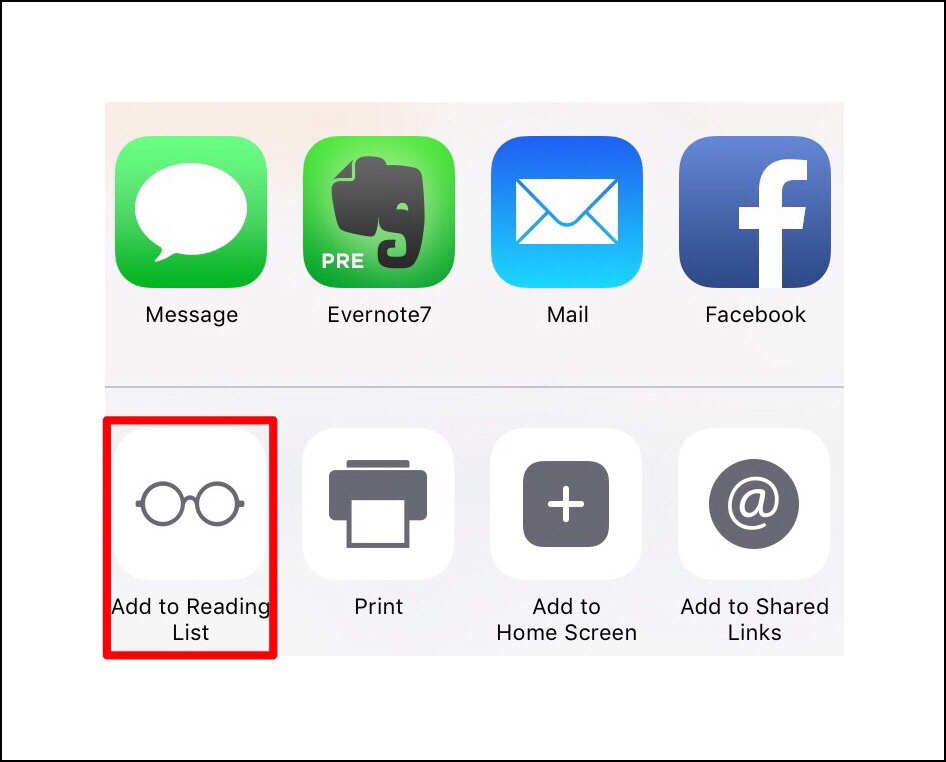
URL bar with Rewder mode linesWhen you tap on the 5 lines Reader mode is engaged…it’s wonderful for creating a distraction free, pleasant, mobile reading experience.  You can also save things to read later in Safari by tapping on the share icon in the upper right hand corner of Safari and then looking for the ‘spectacleicon shown below.

Add to reading list icon

Later, when you want to read your saved material just open Safari, open the bookmark menu and tap on the spectacles icon again.

bookmark and read later icons

OK, so that’s a quick overview of Safari’s built-in Reader Mode.  It’s great when it’s available…but it’s not always available.  That’s where the first AppBlits LLC comes in handy…Reader View.
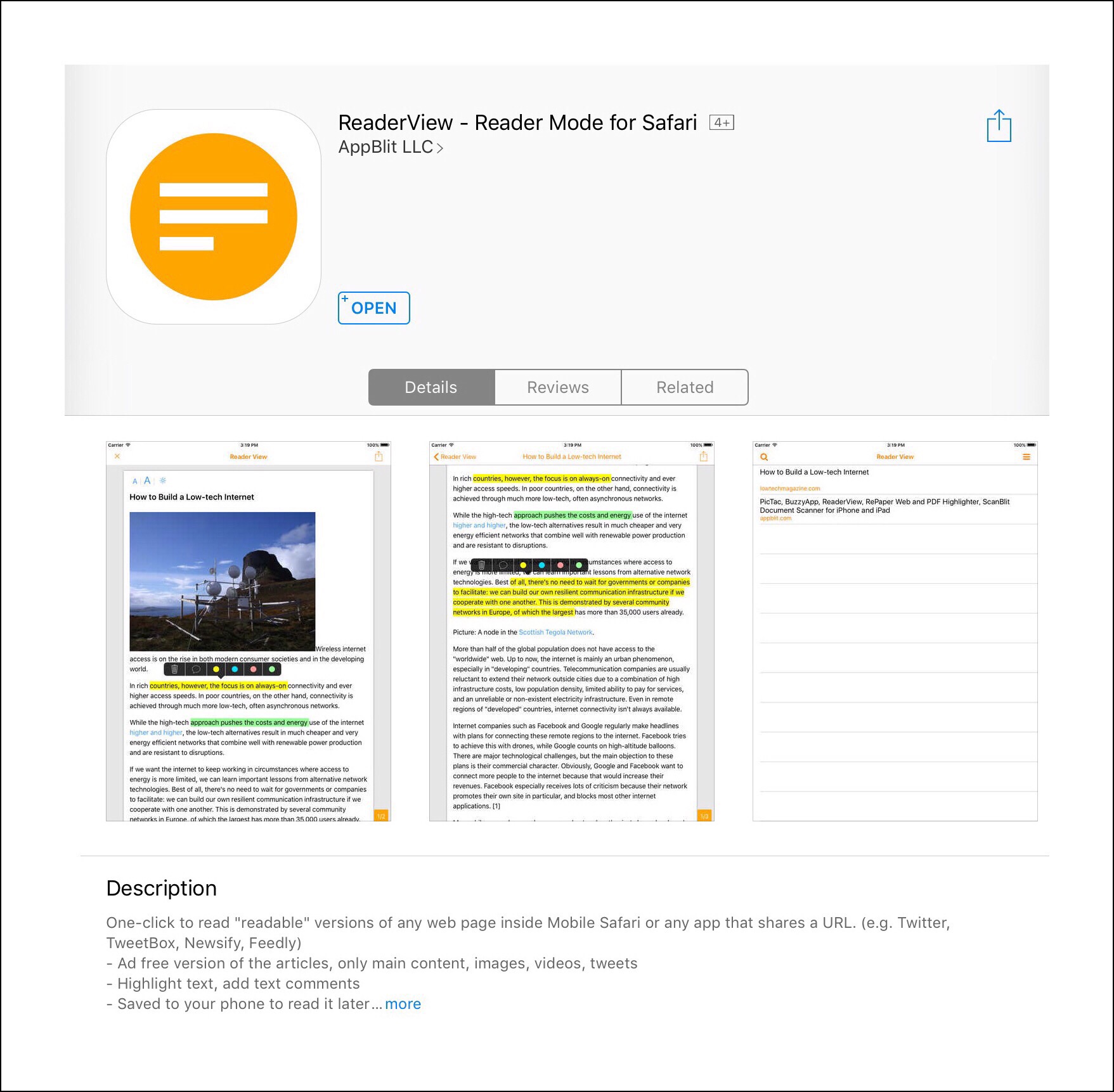
Reader View

Reader View works when Safari’s Reader mode doesn’t…at least most of the time. Apple doesn’t make it obvious what criteria are necessary for webpages to display in Reader mode…if they did, the mode would be available more often. Because bloggers like me want our articles to be easy for our readers. So we try to make our pages clean and distraction free. But our Web hosts may add things that clutter up our pages. If there were set criteria for making our content ‘Reader mode ready‘…I for one would gladly meet them…but there aren’t. So it’s hit or miss for me as to when Reader mode can be used on what I write. But for $2.99 Reader View will almost always guarantee that a clean readable webpage will be available to my readers.

In addition to being available more often than Reader mode, Reader View offers a few more perks too. I personally use both Reader mode and Reader View to clean up articles that I want to save for myself in Evernote. But the one thing that I love about Reader View is that I can also highlight things within the webpage and even write comments before I save the complete page. The page saves with all my highlights beautifully. The other thing that makes Reader View better, imho, is that you can use it for many different apps…not just Safari. So, for apps that have their own built-in browsers, or those that are designed primarily as reading apps or apps that manage different types of documents…file managers such as Good Reader for example…I’ll oftentimes use Reader View to create a document that I then import into these other apps to work with further or to use.

Here’s a link to a brief YouTube video showing how to use the Reader View App.
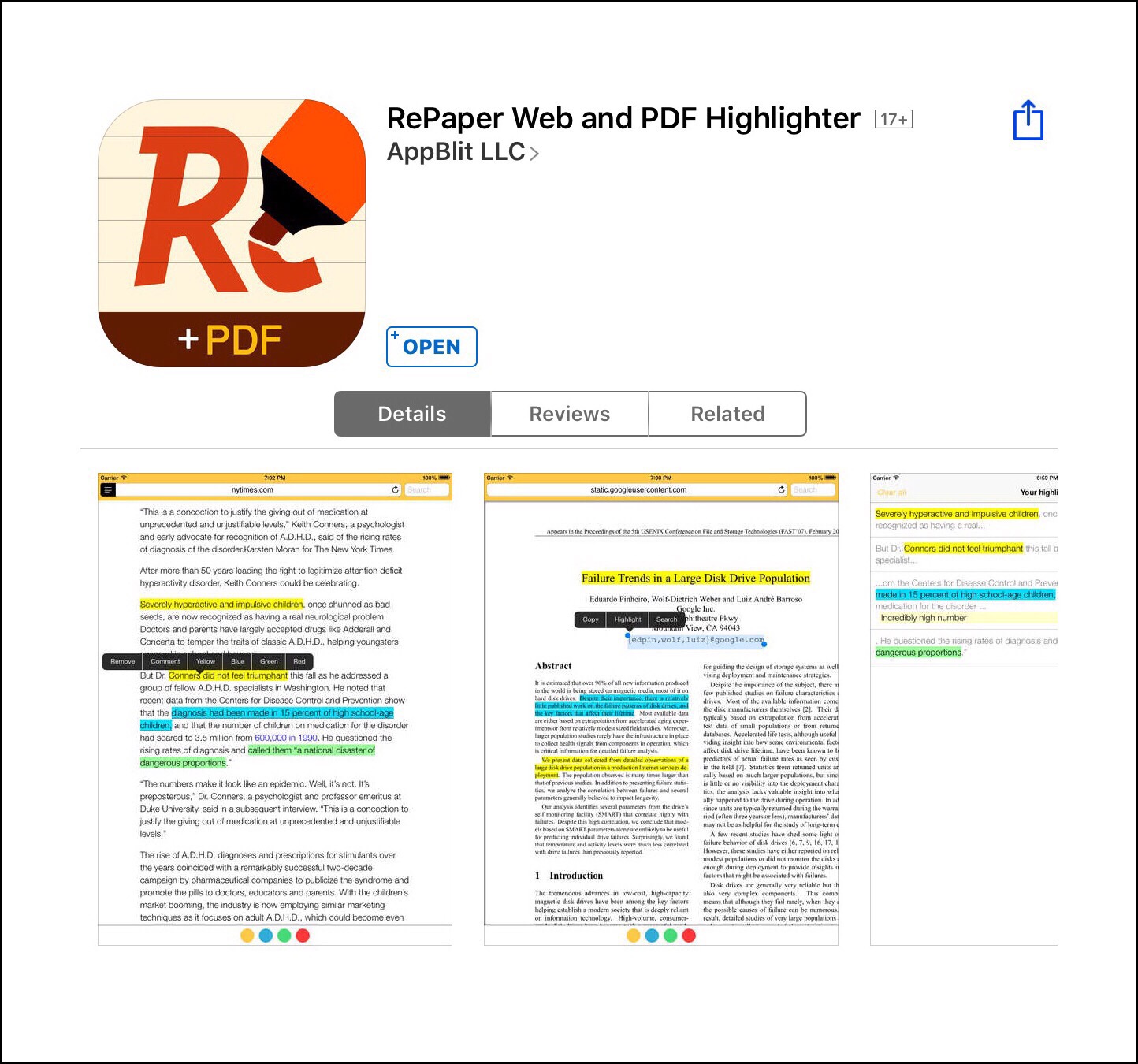
RePaper

RePaper goes even one step further and it works with iCloud content too. It’s a more robust annotation utility versus Reader View, which was designed primarily for use with webpages (although it works with much more too!) It’s really hard to describe how RePaper differs from Reader View, but it does. Basically it just offers a lot more tools for annotating things…and it’s tools really work (unlike ios 10’s new Markup feature which is still pretty glitchy.) RePaper offers enough utility beyond Reader View, and it does so in more ways, that it pays to have both tools if you are a heavy consumer and saver of online content. Plus that it only costs $2.99 too.

Here briefly are just a few more ways that RePaper is different from Reader View. It has its own browser right within the app. Because it does have a browser, that means you can bookmark pages and it’s those bookmarked pages that are sent up to iCloud so you can access them from any device. You can actually use RePaper without another app whereas Reader View for me, functions more like a bridge to get content in apps like Evernote…but it offers enhancements like highlighting that an Evernote ‘save’ on its own couldn’t do.

It’s really difficult to explain why but the fact that RePaper can stand on its own because it allows you to bookmark things you’ve read and they can be stored in iCloud (again with all of your highlights and annotations,) makes it the more powerful tool of the two…but also uniquely powerful in an underserved niche. If you read reviews in the App Store you’ll read things like, ‘Steve Jobs should have thought of this,’ and ‘Apple should take note and build these features into ios.’

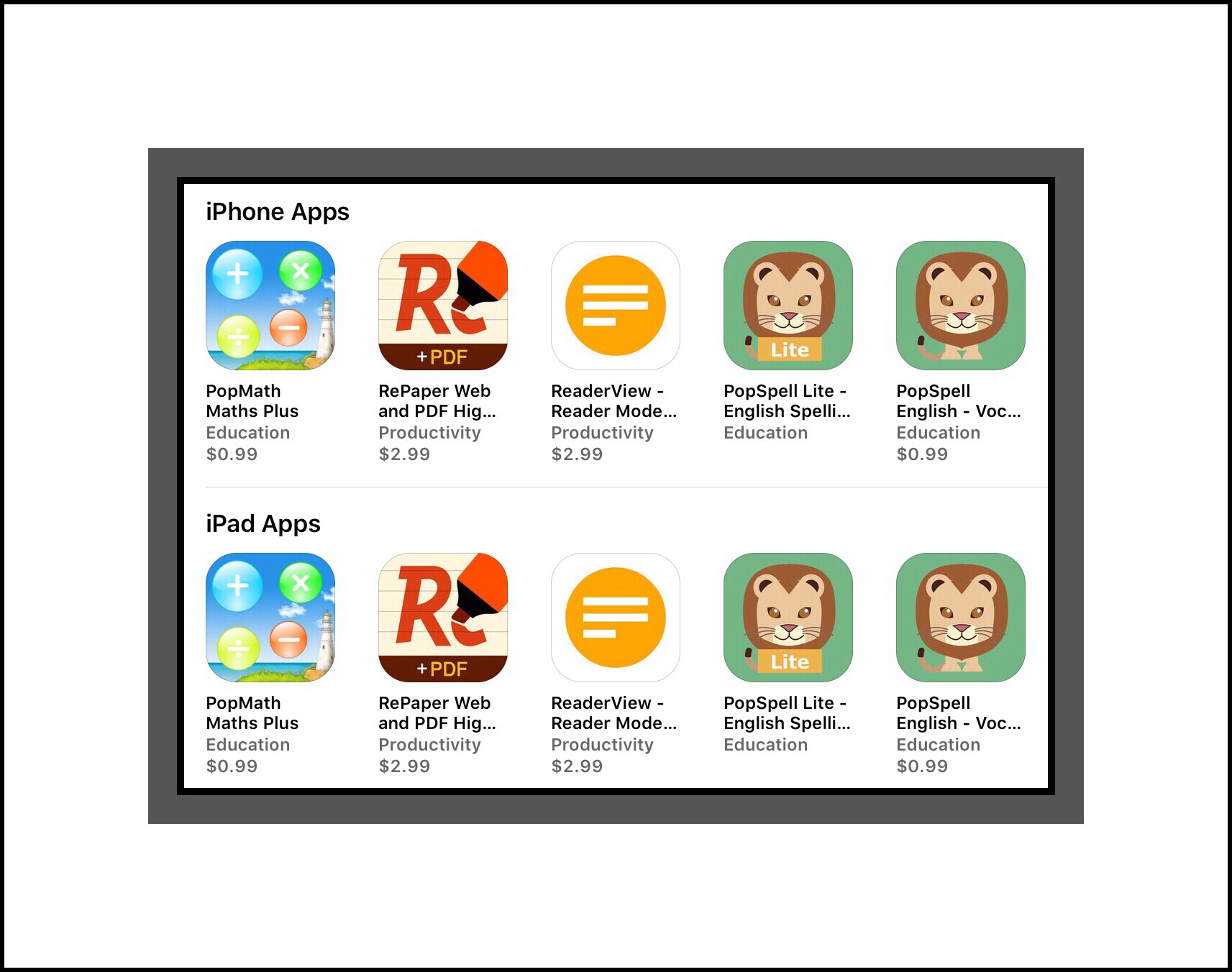
More apps by the developer of Reader View & RePaper
img_6578

There’s one more aspect that I love about both Reader View and RePaper, and that is that the developer created these apps for his own use so he continues to keep them updated and even occasionally adds new enhancements.

More important is that you can actually reach him by email if you run into a problem…and he responds and helps you solve it! That doesn’t happen very often these days…but it’s definitely one of the reasons I continue to use and love both apps!

So,  that’s a very brief summary of the best tools available for saving content for offline reading when you use an iPhone or iPad.  To give you a better feel for how RePaper works and how it differs from Reader View, here’s a link to the app developer’s video on YouTube showing how to use it and running the app through all of its features too.

Comments

I really love getting feedback from my readers!

Therefore I try to make it as easy as possible for readers by not requiring you to add your email address, unlike most comment sections you’ll encounter on blogs. I’ve gone a step further though because you don’t even need to include your real name. You do need a name of some kind…but that can be whatever you want it to be.

I’ve done it this way because it’s your actual feedback that’s really important to me. I’m not really interested in collecting readers’ email addresses which is usually done for the purpose of creating a subscription mailing list.

</ol>

Go back

Your message has been sent

Warning
Warning

Warning.


Learning About YouTube Channels, Monetization  & Why I Thought Katy Perry Followed Me on Twitter

Tangled in Tangled FX
Standard

Updated Feb. 2018

How My YouTube Channel Got Started

My husband takes amazing photographs. So rather than compete with him and ending up with thousands of photos each time we do something fun, I’ve started to shoot more and more videos.  Anyone with a Google+ account (meaning pretty much anyone with Gmail) was automatically setup with a YouTube channel a few years back. (fyi…setup is a euphemism for required….read more about how G+ was ‘forced’ onto the public and is now dying a slow death here.)   I was too, in fact I was given 3 channels…one for each of my Gmail accounts. But initially I didn’t pay a lot of attention to which channel I was in when I uploaded a video.

Some thumbnail pics of my videos

Fast forward a few years later and after quite a bit of time spent sorting out my videos which were spread across three poorly managed channels, for the first time ever I have a little insight into how prolific my video uploading has actually become. I now have a semblance of structure to my channels and I have dedicated 2 to specific purposes:

  1. One channel is for my videos that I share publicly …this channel also represents my only effort at vlogging (video blogging)…although in truth there’s not much cohesiveness to that channel to date.  This channel is the one I’ve chosen to monetize by signing up with Google’s YouTube monetization program.  Here’s a link to my channel.  The YouTube  monetization program is an easy way to  new bloggers to start earning income.  While you won’t get rich quick it’s a great introduction to earning income online and I’ve learned a lot about the whole industry as a result of my early efforts here.
  2. A second channel I’ve dedicated to share only with family members and close friends…after all somethings should remain private from the World Wide Web.
  3. There’s a 3rd channel that still has some random videos that I haven’t sorted out yet.

I’ve also learned that if you really want to build a following you need to actually LET PEOPLE KNOW THAT YOU’VE MADE SOME VIDEOS!  So that’s why I decided to write this post. But something pretty amazing happened along the way.

I’m a new Twitter user too, and I told my best friend from high school and my husband that Katy Perry followed me there.  They wanted to know why but I had absolutely no idea why or how she would have run across my Tweets which are primarily about Apple products and tech stuff I like.  Then I began to write this and needed of course to visit my YouTube channel to copy each of the links I include below…when it hit me.

image
Do you think Katy follows me because I made a YouTube video of her performance during the Super Bowl half time show in 2015?  I re-watched my video…and I think maybe that’s why.  I also noticed that my monetization was never removed from that video…which is odd…but lends more credence to my theory.  Update a few months later…sadly, I finally figured out that this isn’t the real Katy Perry.  But apparently a,good fake…because this Katy Perry has millions of followers.  I’m new to Twotter and learned that when someone is verified, it means they are the real person!

My Most Viral Video

I have one fairly new video that has beat out all my others by a significant margin.  It’s a help video I made while setting up a new 4K TV we recently bought.  It was really hard to figure out and there were no guides.  The video is horribly unprofessional…which I state right in the description.  But it wasn’t a great time for me to make a video and I just wanted it to be available for anyone who might need it.  Shockingly in less than 5 months time it’s been viewed more than 12,600 times!  I’ve earned more with  this one video than I have with all of my others combined!


Some interesting things I learned because this video has grown so popular.  First, notice that I have quite a few Thumb’s Down (there are more Thumb’s Up thankfully)…initially I was worried about this but then learned that YouToube doesn’t care if thumbs are down or up.  Either is fine and better than none because this indicates user involvement with your video. Second I discovered that when a video becomes popular YouTube begins helping it to become even more popular. They do this by adding it to the right side of related videos that are playing.  In your analytics you are shown which other videos are referring yours. But I don’t yet know how many views a video needs in order for this to happen.  In the case of this video, 5 other top videos are referring mine.

Some of my favorite videos on my public (vlogging) channel include the following:

  1. How to setup a new Samsung 4K TV & Soundbar  Newest but already has 12,699 views
  2. My very short (56 secs) ‘artsy’ time-lapse  video taken of the Intercontential Hotel lobby, bar, gallery and Christmas tree in Milwaukee  Brand new 61 views  This clip is unique in that it’s the only video I actually appear in…but it’s a quick one!
  3. A family hike in Austin Tx Thanksgiving 2015 with unusual sounding peacocks and albino peacocks too Very new 13 views
  4. Mule deer at Yosemite National Park in October 2015 16 views
  5. The iPad Pro Big Reveal | Apple’s Livestream September 2015 116 views
  6. The iPad Pro Quick Specs and Pricing 39 views
  7. The Big Reveal of Pencil at Apple’s Livestream Event in September 795 views
  8. My son’s college graduation at Rice University in May 2015 57 views (probably one of my finest videos)
  9. Top Golf in Houston Texas 2015 46 views I tried out lots of special effects here!
  10. Our first 3D print with the UP Mini printer 14 views 
  11. Apple’s Livestream in September 2014 with audio interference 3 views
  12. My sister-in-law’s speech about her early childhood experiences leaving Vietnam during the ‘Fall of Siagon’ 88 views also a favorite video
  13. Katy Perry & The Super Bowl Half-time Show 2015 While Learning to Shoot Video with iPhone 6 31 views
  14. My husband opens presents on his 60th birthday during a Skype session with our boys 4 views
  15. The new Theta Chi Fraternity House in Madison 71 views
  16. Another version of the new Theta Chi Fraternity House 137 views
  17. Highlights of the Apple 2014 Livestream using the Replay app they showed 73 views
  18. Another version of the video made using Replay of Apple’s 2014 Livestream 186 views
  19. The Rock Bike Park 210 views
  20. Apple gives everyone a free U2 album on their Livestream and I made a video showing how to download it 3511 views this is my highest viewed video of all time
  21. Apple’s Watch announcement during their Livestream event in 2014 805 views
  22. Highlights from the opening & closing acts of the EAA AirVenture Air Show in 2014 20 views
  23. Highlights from EAA AirVenture Air Show in 2014 270 views
  24. Zip lining on Father’s Day 2014 at Lake Geneva Canopy Tours 20 views
  25. How to Install a SIM card in the iPad Air & iPad mini 3117 views this is my 2nd most viewed video
  26. Ring the bell at the top of City Hall Mailwaukee at the Door’s Open Event 100 views
  27. Learn to Setup the Homescreen on an Android Device if Your’re Used to Apple 786 views
  28. Pevnick Design Graphical Waterfalls at Door’s Open Milwaukee 2013 148 views

Some thumbnail pics of my videos

If you wanted to watch all of my videos the total accumulated time to do so would be 158 minutes. I learned this from the new YouTube Creator Studio app.  I love this new app because it lets me manage all of my content right on my iPad!

Shortly after I wrote this post I gained a new follower on Twitter. While I haven’t investigated this completely yet, it appears they offer an interesting service that gives new YouTube channel owners an interesting tool to help grow you channel.  For about $5 per video you can ask them to share your video with their user base and across several different platforms. They’re called the Video Page and it looks like they guarantee 100k views for each video you submit.

Learning About YouTube Channels and How to Get More People Interested in Watching My Videos

First off, you might be wondering why I even care if anyone watches my YouTube channel.   Well aside from the obvious fact that I’ve usually spent many hours creating a video (sometimes even days!)…I want to feel that my time was ‘well spent.’  My other main reason is because I’m trying to find a good way to earn a living from publishing online.  I love writing and I love creating videos…I love these almost as much as I love learning!  So combining all of my loves would seem to be really a great thing to have happen.  Anyway  you look at it, it seems to be a great idea…so maybe that helps you understand more about why I do this this?  If not, think of it the way…

HOW AWESOME WOULD IT BE TO EARN A LIVING FROM DOING SOMETHING YOU LOVE???

That’s my main reason for wanting others to watch.  The move viewers you have, the more flexibility you have for finding interesting means of earning an income from what you make.  There are the standard methods to earn on YouTube…these are primarily about monetizing your videos with ads…but then there are more unique methods like having paid subscribers…that’s what the new YouTube Red program is about (I think.)  Anyway, I’m trying to learn about it all.

Here’s one of the best links I found so far:

www’s Most Incredible Resources

Standard

Updated:  November 28, 2018

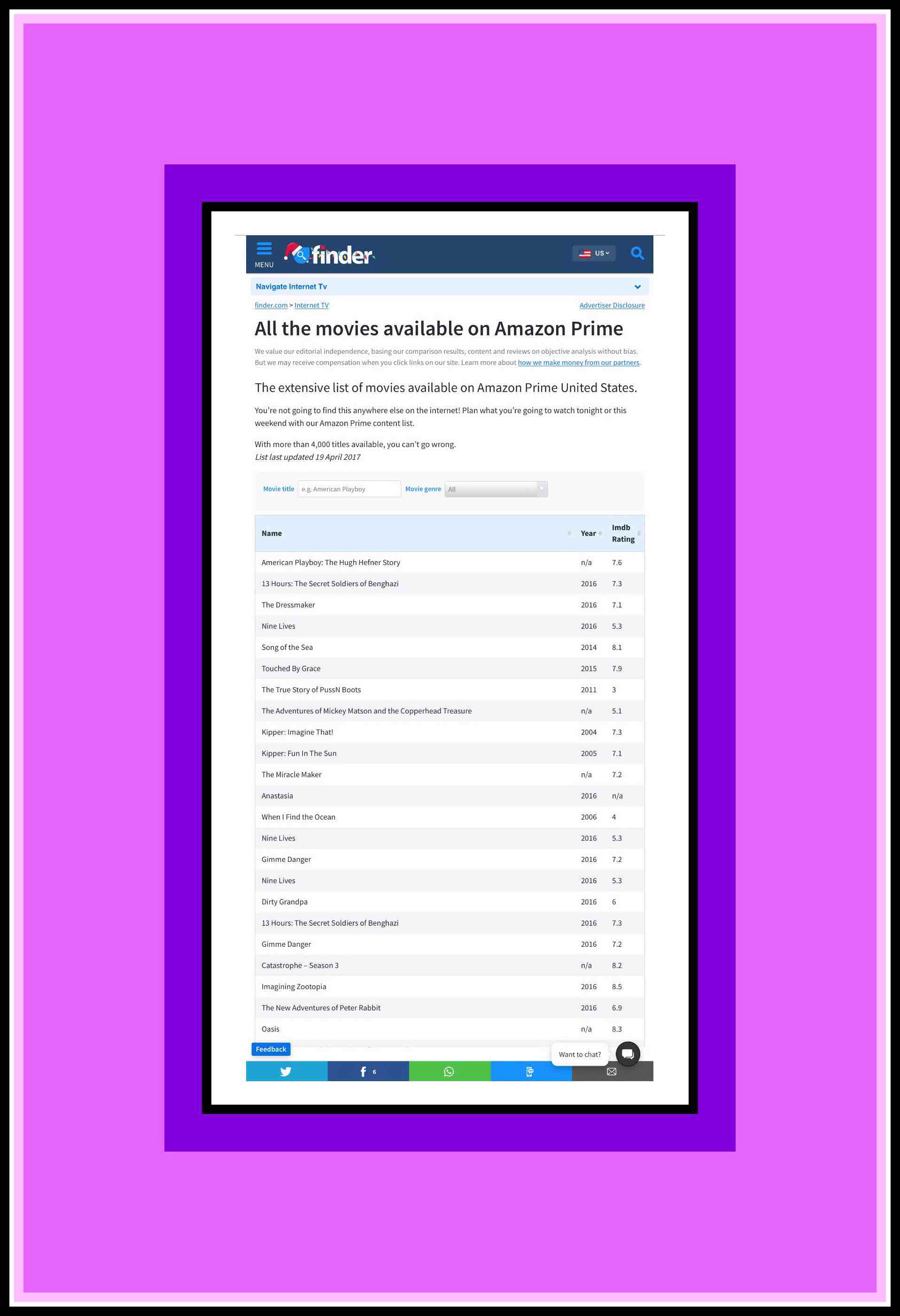
All of Amazon's Prime Videos in List FormAll of Amazon’s Prime Videos in List Form

All of Amazon’s Prime Videos in a List

Amazon Prime Videos has become as ubiquitous as Netflix, yet neither has ever published a complete listing to all of their videos. I felt like there just had to be one lurking out there somewhere in the online world. I’d previously searched unsuccessfully and tried my luck again today.

Eureka! Today I found this complete listing of all 4000+ Amazon Videos! It might be a little out of date since it was last updated in April 2017, but it’s a treasure trove of information regardless.

Now Prime Members can finally share this vast library of Prime Videos with non-Prime members like elderly parents. And since Prime Videos can now be streamed on Alexa’s newer touch screen devices even very elderly, non-computer literate parents can enjoy the ever growing world of streaming video content.


Main Article

There Are So Many Amazing Websites…yet so little time to discover them…much less appreciate them…which is why I wrote this post…

‘Just Google it’

                                                       has become my mantra…

Sometimes I think that I drive my husband & kids just a little nuts by how often I suggest they Google something, but I truly believe that you can learn just about anything with a few simple web searches…

I’m a member of the baby boom generation.  A later member by most counts, but still soundly part of that generation.  The generation that’s transformed the world in ways that history will hopefully spotlight as mostly good and beneficial to our society as a whole.

symbolic tree of knowledge

Information Has Become Our Most Vital Resource

Information helps us to make decisions. The better that information is, the better our decisions are and the more successful we can become.  For me, information is everything.  I’m sure I’m not the first to link these paradigms together in this way, but by doing so you can see why I’m such a huge information aficionado:

  • Information is Knowledge
  • Knowledge is Power
  • Power Can Be Anything That You Want it to Be

This is how I see the world.  Rarely does a day go by in which I’m not amazed by the Internet.  It’s such an extraordinary tool for life that I truly wonder how I ever got along without it.  Later generations including the one our kids belong to and certainly the one of their kids, just won’t be able to appreciate how much the world has been changed in a few short years by the greatness of the World Wide Web.

Maybe that’s sad…I don’t know yet…but maybe they’ll see even greater advances and they’ll have their own phenomenon to marvel at.  I suspect so.  But for me and for us, the baby boomers of the world, it’s information I think that we’ll look back upon someday and smile knowingly because we got to be a part of creating something so profoundly important.

Computer data center

With that framework in mind, I’m dedicating this section of vsatrends to virtual information.  Not just any virtual information mind you…but some of the most amazing virtual resources that I’ve ever run across…those websites that, every time I visit them, never cease to amaze me!

What thrills me even more is that so many of these sites, sites which include some of the most amazing libraries and resources in the world, are literally at our fingertips! That, and of course the fact that they are free!  Even when a website doesn’t make all their resources completely free to non-registered, or non-subscribing members (generally meaning non-paying people), oftentimes a  significant portion of their information is available for free.

My List

I’m creating this list in real time, so while it may appear to be short right now, never fear that I’ll be adding to it several times a week as I run across fascinating sites and qualify the validity of the information they provide.  So remember to check back weekly or monthly for my newest entries.  Furthermore, I really love this kind of information, so if you know of sites that should be included here, please leave me a comment with a link, and I’ll consider adding your site, while properly acknowledging your contribution if you desire.

So without further ado, here is my list…

  • The CIA maintains an amazing website with much of their international intelligence.  They also publish this data in book form calling it the World Fact Book.  If you’re planning an international trip or researching somewhere else in the world this is one of many useful US governmental websites to provide excellent and up-to-date data.

Cornell Lab

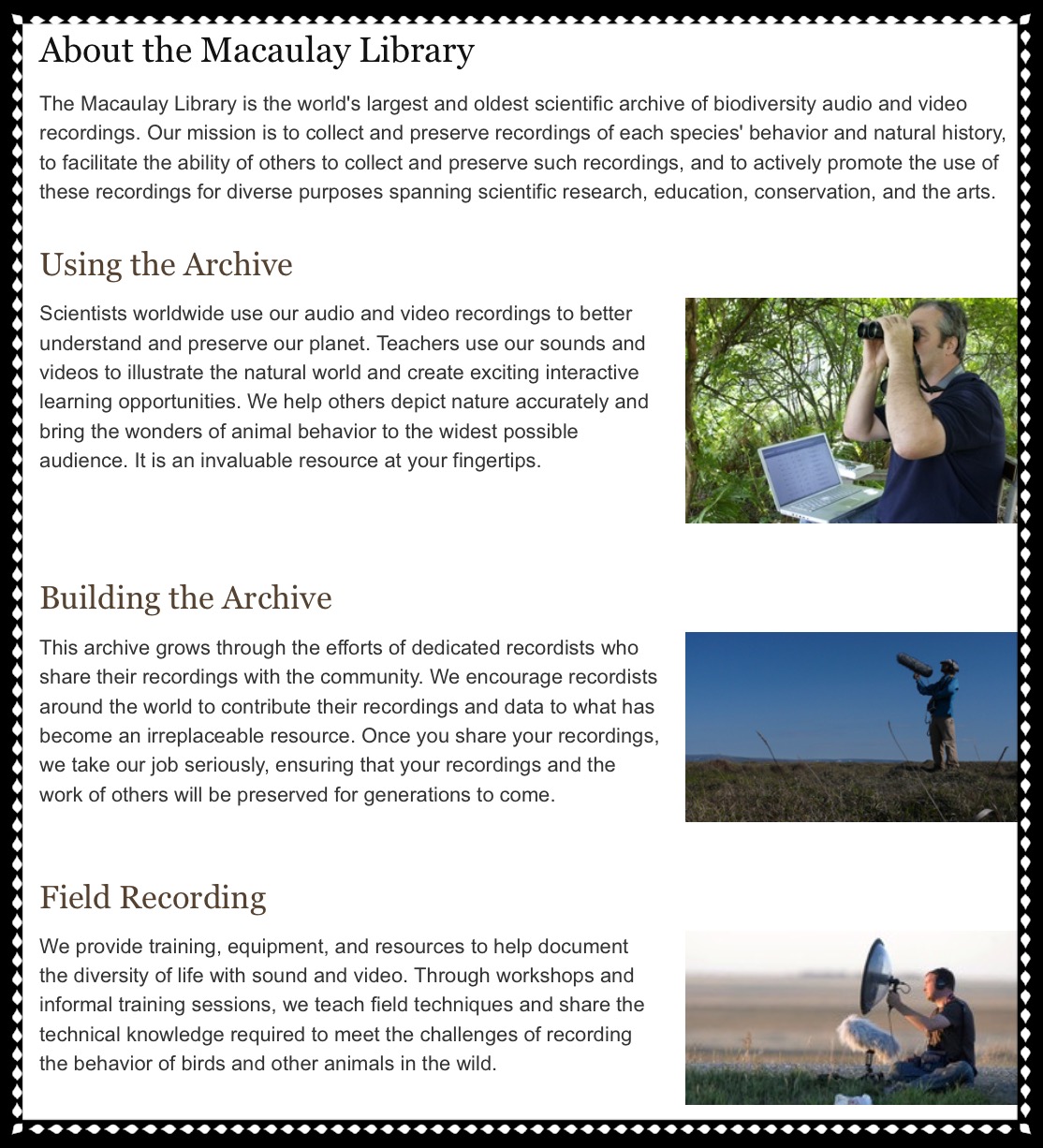
A Little About The Macaulay Library’s Cornell Lab of Ornithology

It’s quite possible that Cornell University in upstate New York has the largest audio library of nature sounds in the world.  They began by focusing on bird songs and recordings.  But Macaulay’s collection of sounds has grown so much that it now includes almost all animals from literally anywhere in the world.  They even have a rapidly growing library of videos…around 50,000 in 2015.  The quality and volume of data here is astounding…I could literally spend days just at this one website alone.

FireEye Cyber Threat Map

FireEye is an enterprise network security firm that has created this amazing real time world map which shows actual cyber attacks as they’re occurring.  To really appreciate the complexity of their world map you show view it on a computer.  If you watch it for a minute or 2 you’ll see how prevalent malicious cyber attacks really are…and if you happen to see a huge attack in progress it is a truly an astonishing site to see.  In fact, if you’re so inclined, you should leave the site up and running for a little while just to catch a glimpse of one of these major attacks!

This one map alone can influence people to take their personal data security seriously and that’s a good thing.  But from here you can visit and learn much more about the most current threats and how to defend against them.

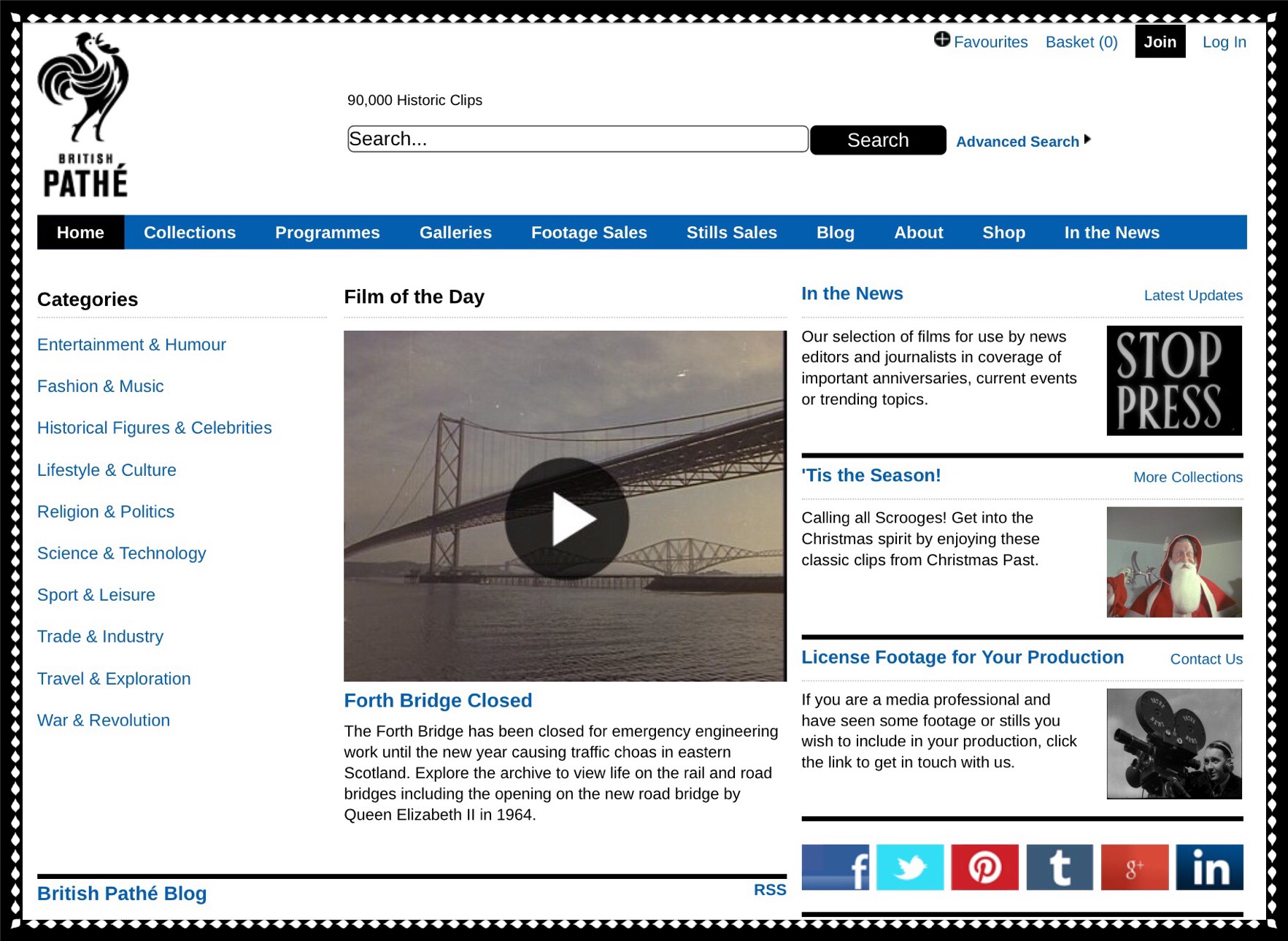
image

This is how British Pathé describes their website:  British Pathé is considered to be the finest newsreel archive in the world and is a treasure trove of 85,000 films unrivalled in their historical and cultural significance.  Their newsreels, which cover the years 1896 to 1976, are free to the public for viewing either directly from their website (which is recommended for searching purposes) or via YouTube.

The historical significance and breadth of this collection cannot be overstated…the site truly deserves inclusion among my most treasured websites of all time.

After Deadline Blog

The New York Times publishes a weekly blog I love called ‘After Deadline‘.  It’s written in part by Philip B. Corbett, who’s the associate managing editor for standards, and who’s also in charge of The Times’ style manual.  Apparently he oversees a weekly newsroom critique in which journalist’s writings are analyzed for errors related to grammar.  Some of the more interesting findings are published in ‘After Deadline’.  I’m afraid that I’m not making a great case for why this site is so amazing, but trust me it really, really is!

Reading ‘After Deadline’ is sort of like reading about the really fascinating personal observations of someone you greatly admire and respect who knows a lot about a lot of things…not just grammar.  It’s written conversationally and never fails to entertain and educate.  I mean let’s face it…there’s a reason why the New York Times is one of the most widely read news papers in the world…they know how to write, capture, and keep people’s interest!  If I haven’t convinced you yet…just go check it out!

  • The Winge Family’s Shoelace Company & Learning To Make Shoes By Hand

The 2 websites I discuss here are very different from those above in that they are the work of an individual and a family.  The family site is primarily an online retail establishment, but I’m including it here because they provide a great solution to finding a difficult item, namely shoe laces, and it’s evident from their site that they’re a family who’s passionate about shoe laces.

The Winge family operates what may be the largest retail shoelace establishment in the United States.  That might not be 100% true, but it’s certainly true in the online world.  If your looking for shoelaces this is the place to come.

ShoelacesExpress.com is their website.  I discovered this site recently while I was searching for replacement rawhide shoelaces for a favorite old pair of Sperry Topsider Boat shoes.  Getting replacement shoe laces for boat or deck shoes is no easy proposition.  I’ve been looking for them for about 6 months, and I’d exhausted all of the the big box store alternatives like Walmart, Target and Kohls, as well as most of our local retailers including DSW (Designer Shoe Warehouse), Walgreens, CVS, plus quite a few of the women’s and family shoe stores in our area.  The one thing I hadn’t yet tried was contacting some of our local shoe repair shops.  But they tend to be solo entrepreneurs where we live.  Men who are generally from Slavic countries like Poland, Bulgaria and Russia and who while great at what they do tend not to be particularly accomadating when it comes to questions and special requests.

I’d also searched online a few times.  I’d searched Amazon and conducted quite a few Google searches…which all yielded nothing.  Today I tried yet again and through a unique combination of search terms that I don’t quite remember, I discovered the Shoelaces Express website.  

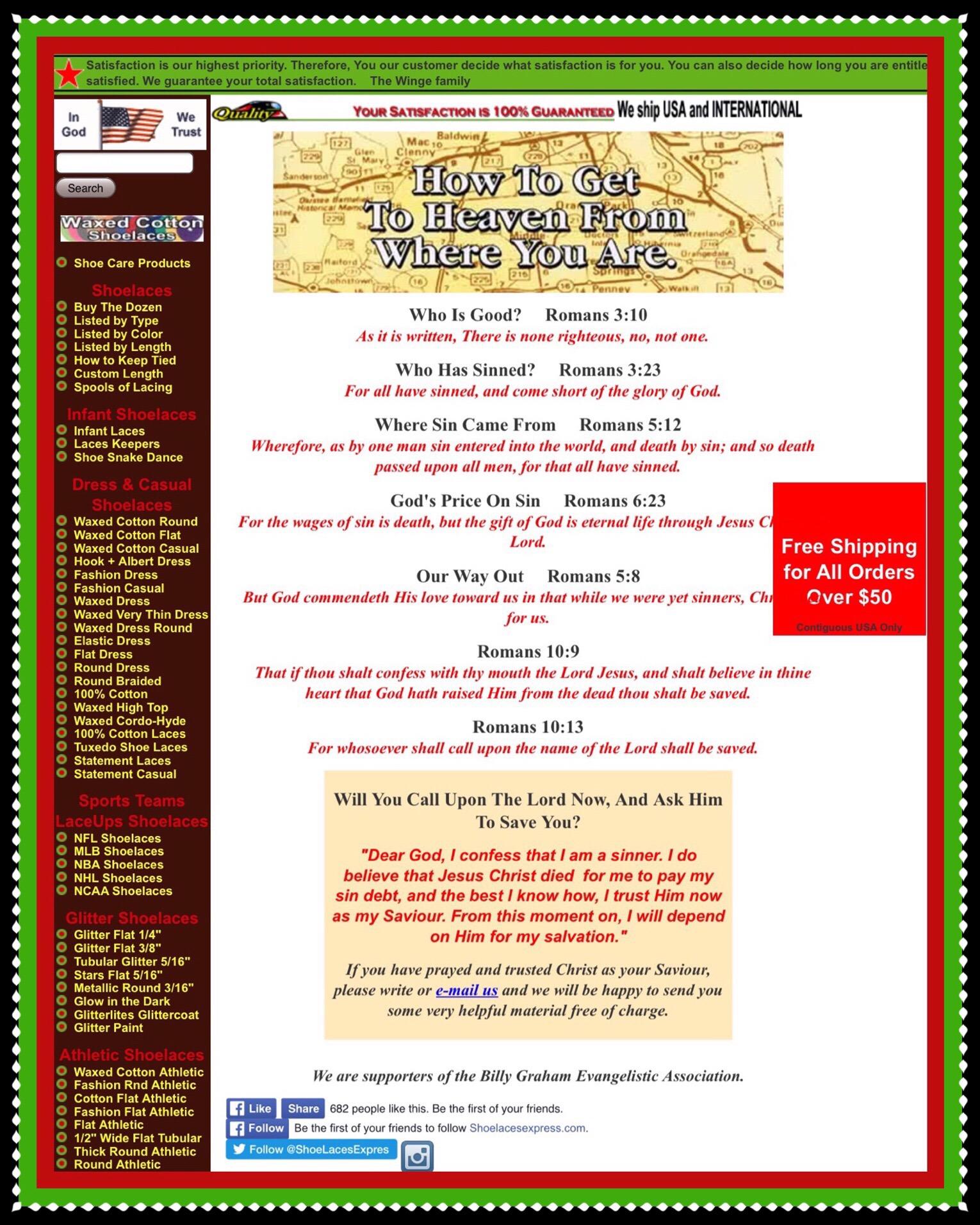
What makes this site special is the methods they’ve employed for searching their inventory.  You can search for shoelaces many different ways…by type of shoes, lace colors, or lace lengths or they also provide custom lengths.  Plus, there’s a bonus webpage they’ve added that displays scriptures along with their proudly stated affiliation with the Billy Graham Evangelistic Association.  OK, that isn’t really a plus, but it is sort of quirky and certainly drives home the notion that this is truly a family run business from deep in the heart of Georgia!  I discovered the scriptures when I saw a menu item titled ‘Good News‘.  It brought me to the webpage shown below which begins with this…’How to Get to Heaven From Where You Are.’

How to Get to Heaven from Where You Are

Regardless of their quirkiness and their clear lack of design sense when it comes to websites, this is one great website for finding virtually any kind of shoelace that you may need!  I did finally find the shoe laces I’d spent many, many months searching for!

Learning to Make Shoes

While searching for laces I also happened upon a very cool website that’s dedicated entirely to providing books, videos and other resources for people who want to learn the art of shoe making.  The site is called Shoemakingbook.com and it was put together by Tim Skyrme a retired shoe maker from Austrailia.  He wrote an extensive guide about every aspect of hand crafting of shoes.  He calls it the Bespoke Shoe Making Book.

He also provides many other resources for learning the art of shoemaking.  There’s a extensive list with links to shoemaking schools in 40+ countries around the world as well as quite a few videos that he made which instruct in various aspects of construction.  Last he’s included links to many other resources like patterns, lasts and other supplies, and shoemaker’s forums and guilds where many more resources are available.

 Time Skyrme shoemaker and author

  • Compelling Science Fiction

If you happen to love science fiction as much as I do you should check out this great new free online resource for science fiction literature.  It’s science fiction published in a magazine format called Compelling Science Fiction.  The minds behind the magazine are all young brilliant scientists and their focus is on hard science.

Don’t forget to check back occasionally for new entries and to add your ideas in the comments section below!

How to Upload an ios iMovie Video Using the YouTube App

Pressed Flowers
Standard

Google’s new YouTube app has been completely redesigned in 2015.  So far user’s overall take hasn’t been great but I played around with it for a few hours and found that it has a lot of features that just need to be figured out. One of the most important ones for ios users is finding where to upload videos from.  This is really a needed feature because ever since Google implemented 2 Step verification and ever since Apple released ios 8, it’s been almost impossible to get finalized videos from the ios iMovie app uploaded to YouTube via the iMovie app.

That’s the primary reason I’ve written this short post.  After finishing the editing of a video using the ios iMovie app, the project needs to be saved to Photos (formerly known as the Camera Roll.)  Once that’s been accomplished you can open the YouTube app and upload the video directly using it…bypassing the frustrating situation of iMovie giving the appearance it may be uploading but then never really doing it.

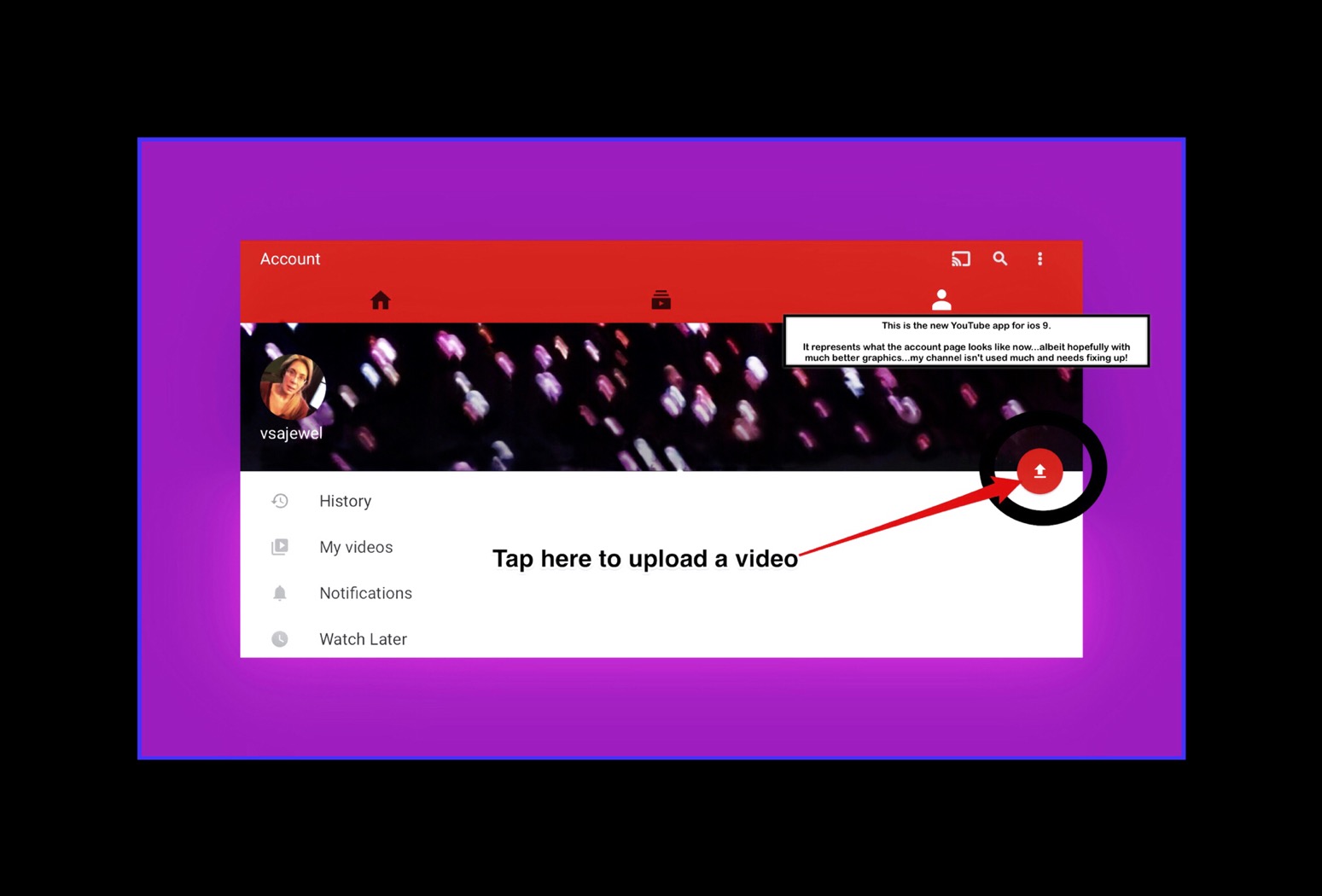
I’ve wasted hours waiting for iMovie to upload videos, and it’s just a lot easier to save the project then upload it using the YouTube app.  To do so you need to sign into your Google account in the YouTube app and then tap on the little upward pointing arrow that appears on the right hand side of your channel/account screen.  For one alternative refer to the screenshot below.

But because YouTube keeps changing the ios app it’s a moving target trying to keep this post updated.  I came up with a better suggestion.  Using the YouTube ios app, get to your channel anyway you can.  Then look for the icon of a video camera and tap on it.  When you do you’ll be shown a somewhat odd display view of your camera roll which you can navigate in to get to your video.  If navigating is hard just place your video in the last position…or the most current item position in the camera roll.

Here’s a link to my most recent YouTube video that I uploaded using this method:  Use the Fujitsu iX500 Scanner to Scan with an iPad 

Did You Ever Wonder Which City’s Home’s Cost the Most Money & Which City’s Cost the Least in the USA?

Standard

Updated May 2017

Real Estate Broker’s Website’s Offer Some Cool Home Pricing Tools

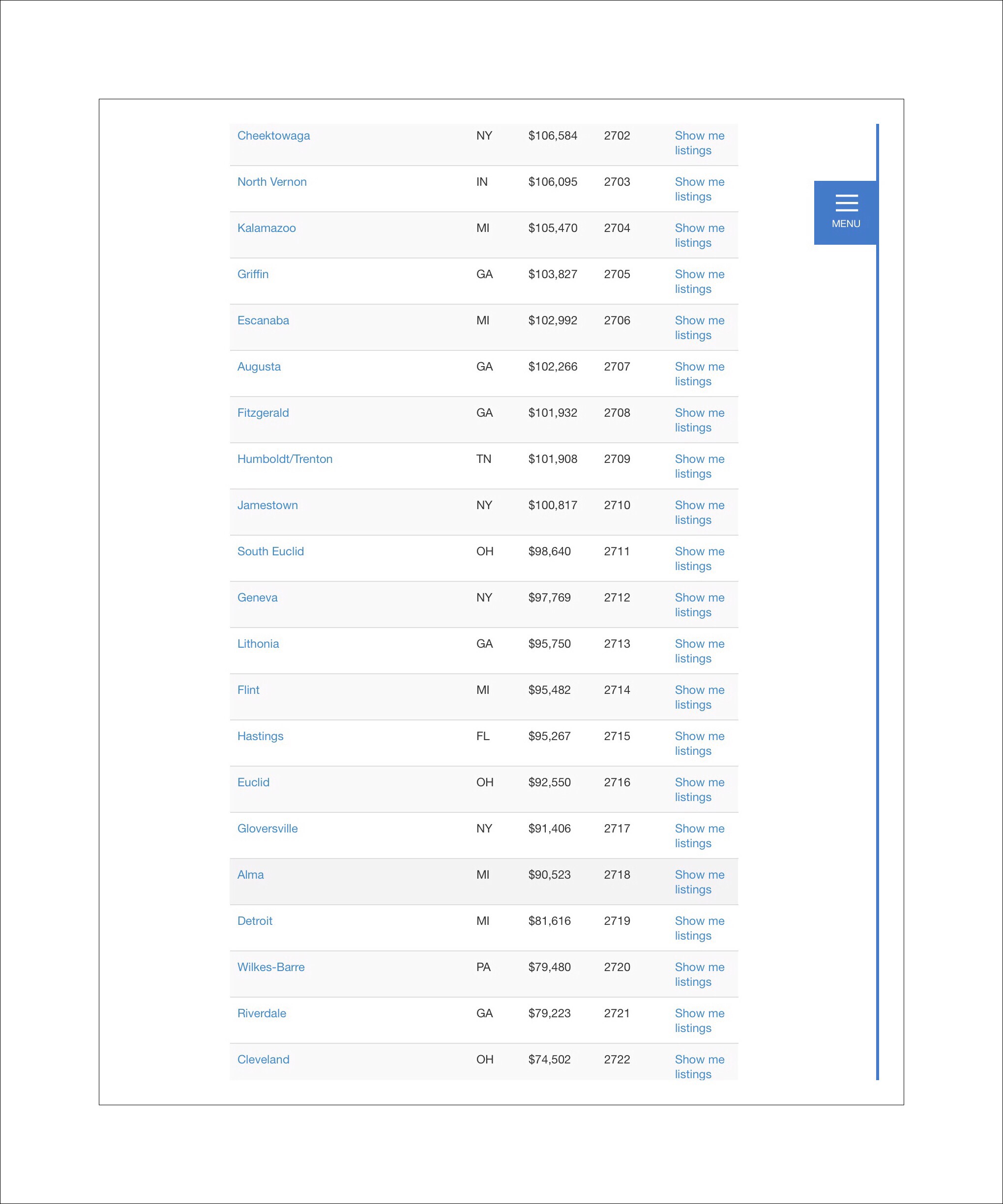
I’ve occasionally wondered what our home would go for in today’s current market.  And I was pleasantly surprised to discover that Coldwell Banker publishes just such a list at their website.  I wasn’t surprised to see that homes in California are among the most expensive in the country.  But I was somewhat surprised to see Cleveland, OH was in the last place position.

The list compares home prices in 2700 markets, and analyzes over 81,000 homes countrywide.  The prices shown are based upon a 4 bedroom 2 bathroom home.

Below are some screenshot examples of the listings, which you can find here.

The most expensive homes are currently found in Newport Beach, CA.

Coldwell Banker Home Report 2015

One cool thing about the site is that you

can search for home prices by state.

image image

Time Magazine’s Article on the Median Price of Home’s in the US, May 2017

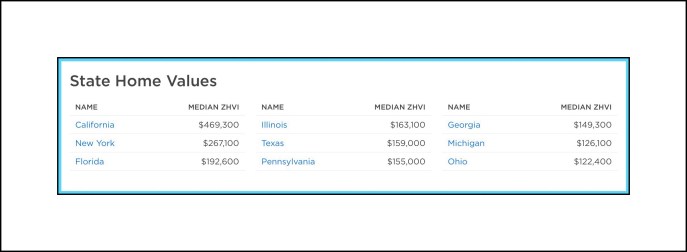
In this recent article in Time Magazine my Dad shared with me, they include a little box at the bottom where you can enter in your zip code to see what the median home price is in your area. The tool they’ve provided is actually from Zillow, where offers much more information at their own site such as median home prices by state like the sample show below.

Sample of Median home prices at Zillow

Sample of Zillow’s median home prices – you can navigate to more from the Zillow link in the paragraph above.

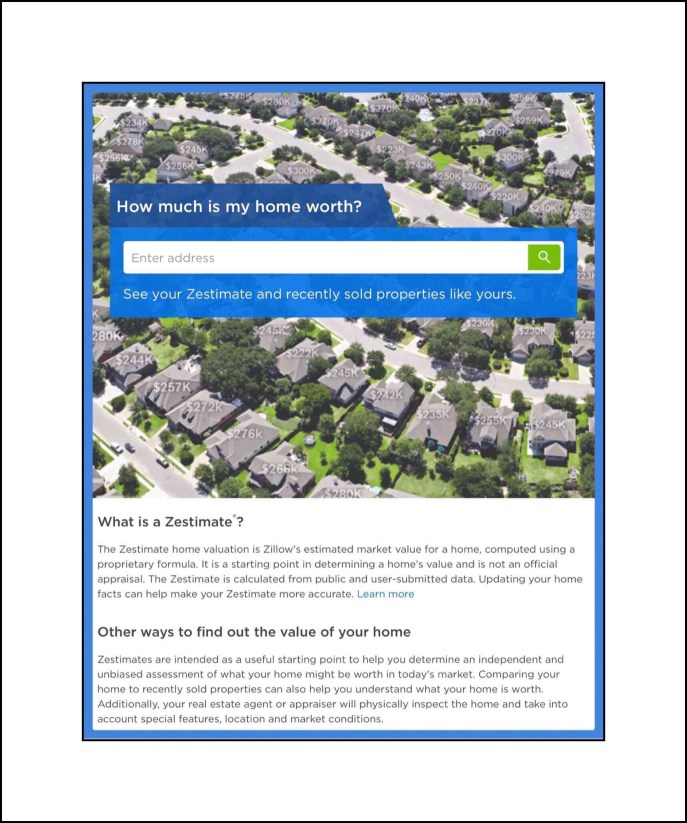
Zillow’s Zestimate Calculator

Zillow is perhaps the most internet friendly of all the real estate brokers in the U.S. currently. They offer a ton of online tools and apps for anyone interested in real estate prices…from home buyers on up to commercial brokers. Here’s one tool I love that let’s you quickly obtain an estimate of your home’s current value…which Zillow calls their Zestimate Calculator.

Zillow's Zestimate Calculator

Please leave me any comments below:

Comments

Go back

Your message has been sent

Warning
Warning
Warning
Warning

Warning.

How to Find Out Your International Women’s Clothing Size

Standard

One of my favorite reasons to travel internationally is the opportunity to find cute, unique or amazing new additions to my clothing collection.

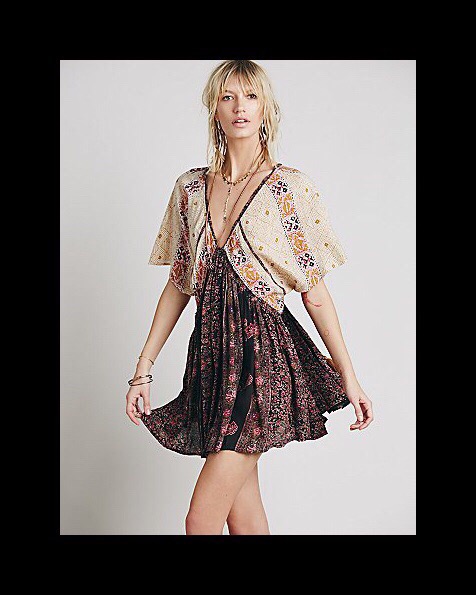
Free People Dress 2015 Collection

This was a favorite dress for me this past summer…it’s a dress from FP’s 2015 collection…I love it!!!

The same dress as shown in the photo above is still available on Zappo’s online store (that’s where I purchased mine)…but only in off-white and only in size xs (which is the size I got.)

Research Shopping Opportunities Before Leaving for an International Locale

If you do a little bit of research before you go and then take a little extra time once you’ve arrived, you can find some treasures that you’ll cherish for a lifetime.  But there’s one factor that’s thrown me a bit in the past, and that I haven’t prepared well for.  Which is understanding the international sizing for the locations we’ll be traveling to.  Even when I did research this aspect previously, it was a cumbersome task and the results were less than stellar.

But today, I happened upon a great solution.  One of my favorite clothing company resources is Free People.  I’d always planned to write a post about the Free People label, but when I’ve tried in the past, I’ve always gotten overwhelmed with how much I have to say,  how many styling ideas I wanted to share…and I never quite finished the posts.

So first I’ll give you a quick overview about Free People, the brand.  Then I’ll write a bit about some general strategies for successfully styling and shopping the brand.  Overtime, I’ll probably add to this, as I keep thinking of new ideas I’d wanted to mention.

I'm wearing an older top from FP...maybe from the 2012 or 2013 collection? It was never a fav or fit well, but I liked the colors and it was really inexpensive!

Above is an older picture that I’m wearing an older top from FP in…maybe from the 2012 or 2013 collection? It was never a fav or fit well, but I liked the colors and it was really inexpensive!

Free People’s Target Market

Free People, I think, intends to serve the teenage and young adult market.  This is probably the main reason that most of my friends have never heard of them, or wouldn’t consider them as one of their ‘go to’ resources for clothing.  But as naturally happens with most assumptions, that’s a bad thing to assume.  It’s also one that has served me well up to now.  Because the styles and sizes that fit well and look good on younger women, aren’t necessarily the same as ones that work well for older females.  So they tend to be the ones that are over looked by their target market…thus I can usually find things I love at greatly reduced prices.

This extremely lightweight 'undershirt' is one of my absolute favorite layering pieces!!

This extremely lightweight ‘undershirt’ is one of my absolute favorite layering pieces!!  I have 3 of these so far.

Another FP staple style I love

This is another FP basic style that’s become sort of a staple for me. I pick these up on sale at the end of the season I colors for that year. Either at FP’s website or at Zappos.

Laying is Key 

Free People’s whole style was built upon the concept of layering. It’s a brilliant marketing strategy, because it results in greater sales. Even younger women wouldn’t necessarily buy and wear see through or backless tops or dresses.  But they would if they happened to find the perfect slip or cami to pair it with!

Even better would be to find both the perfect ‘underneath’ layer, along with the perfect top or ‘over’ layer.  Something like a sweater, or a filmy second top or a dress, to wear over the first.  This is exactly how the brand was conceived, and the pieces in each category are made to function in exactly that way.

This is one type of favorite layering piece

Above is one type of favorite layering piece…although technically a ‘bralet’ its for coverage & to ‘peek’ out.

Intimates Aren’t  Your Typical Intimates

Intimates in the Free People brand aren’t really what you’d typically think of…

They aren’t generally made for the privacy of your own home like say, the Victoria’s Secret brands’ are.  Rather FP’s intimates are a key category for finding those important layering pieces. Oftentimes they are designed specifically to ‘fill in’ the gaps or open areas in other FP’s designs.  Below I put together one example of what I mean.

img_0499

The slip that appears in the middle photo is a favorite of mine too

It can be paired with so many different things and comes in a large assortment of colors.  In the photos on the left and right I’ve added screenshots from FP’s current online season and some customer pics showing how they styled it too. These styles are current as of October 2016 which I’m only telling you because I’ll add links below to some of them…but if the links don’t work that’s because the style is no longer available.

Left:

She Swings Slip in White $88 full price
Grey silver mini dress
Long Sleeve black top
White silver slip top

Middle:

All the pieces shown center around this slip:
She Swings Slip in White $88 full price

Right:

Customer photo
Aqua long sleeve mini dress
Red long sleeve mini dress
Customer photo

Like Most Younger Women’s Styles Today, Free People’s Bottoms Tend to Be Much Longer Than What Most Average Sized or Even Tall Women Need 

By, unlike most younger styles today, Free People offers several remedies for this dilemma.

  1. First, they have a thriving and dedicated customer base who write a lot of really helpful reviews.  In fact, the review format itself tends to emphasize sharing this kind of information.
  2. Second, many of their jeans and even other types of bottoms are unfinished, making it a simple matter to just chop off the amount you need to to make the style look good on you.
  3. Free People also produces most of their designs in a few different size categories.  In addition to Regular sizes they also offer Petites.  Most jeans are available in Tall, Regular and Short lengths.

Free People Sale Merchandise is Always The Best Way To Go

I regularly peruse the beautiful catalogs Free People sends me, and if there’s something that I absolutely can’t live without, I sometimes pay full price.  But almost all of my orders are for Sale items.  They keep an extensive inventory of Sale items so usually I can find exactly what I need in my size.  Here’s a link to the main Sale webpage, from which you can search in the sub categories for virtually anything you may desire!

I also shop for Free People sale merchandise at Nordstrom’s Rack, Zappos and E Street Denim, which is a retail store in Mequon, Wisconsin (in the Pavilion shopping mall.)  They have another location in Chicago too…these are the only Free People outlets in the USA.

I'm wearing another really inexpensive top from FP that I got in 2014, but is probably from 2013.

I’m wearing another really inexpensive top from FP that I got in 2014, but is probably from the 2013 collection.

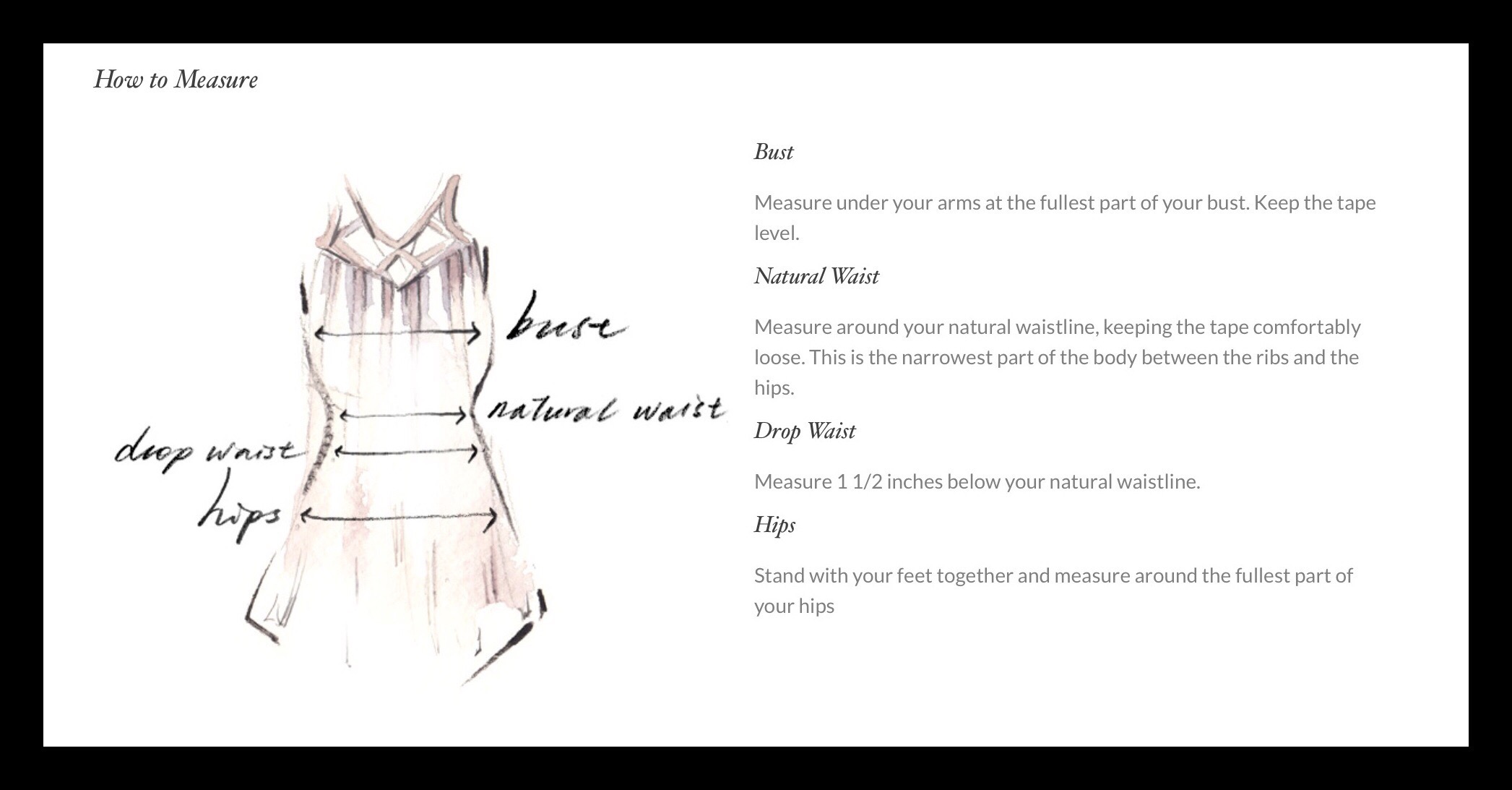
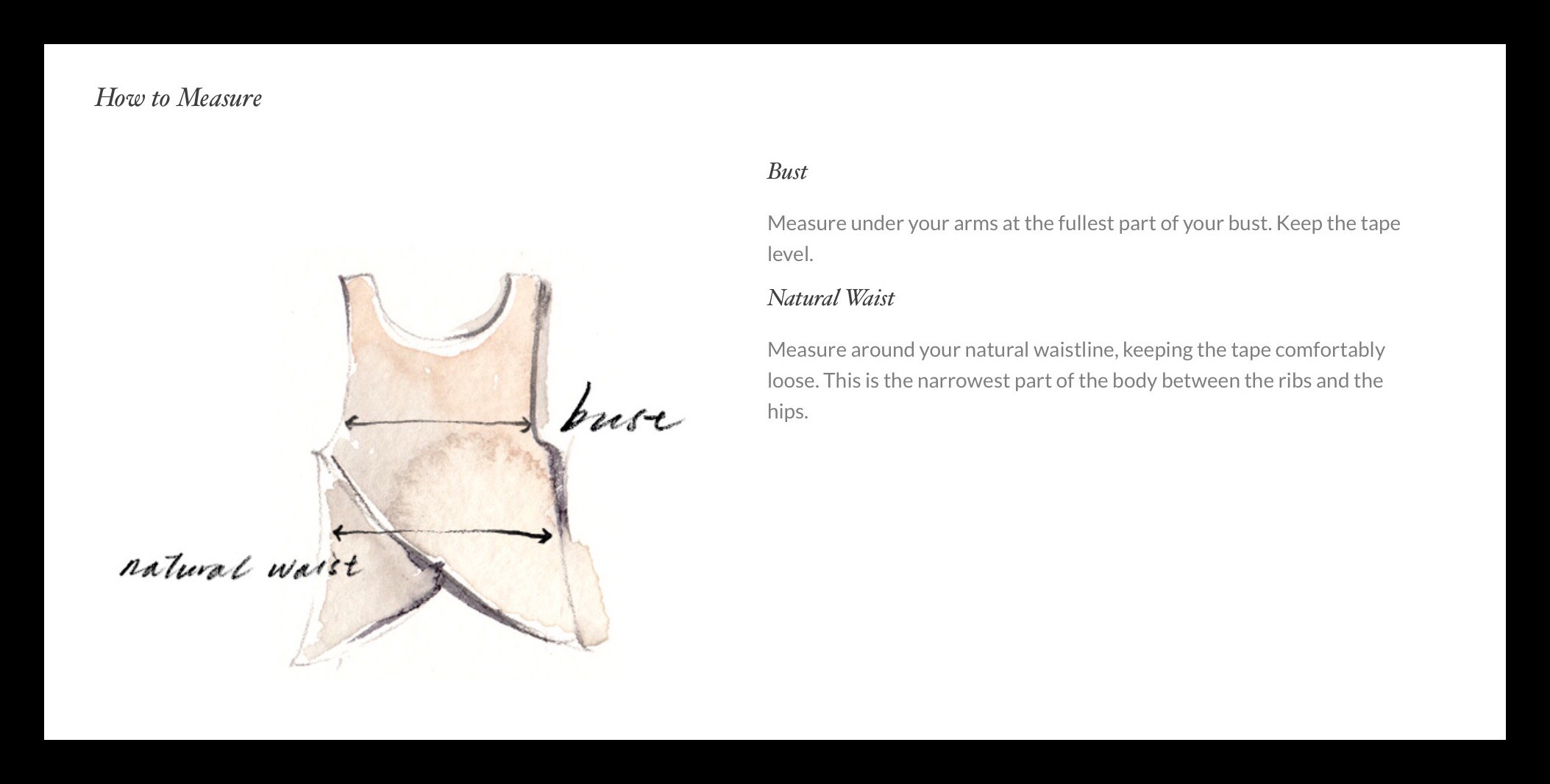
Links to Free People’s International Sizing Charts

Dresses and Slips


dresses and slips
Tops and Camis

Sizing help for tops and camisInternational sizing for tops and camis

Bottoms and Jeans

Sizing help for bottomsSizing chart for bottoms

Free People also provides sizing charts for Swimwear and Shoes, which I’m not including links to, since they are easily found through the links above.

Trip Planning 

So, next time you’re planning on traveling internationally any time soon, make sure you bring your smartphone with these bookmarked to save you time.  Or if, like me, you don’t always get a data plan for your cell phone when you travel out of the country…just copy and paste these charts into your favorite note taking app.  If you don’t currently use a note taking app, take a look at Evernote.  It’s is a free app used by millions of people around the world who, like me, need to keep track of lots of little bits of information.

If you’re like me, you’ll find Evernote’s so indispensable that you’ll soon want to upgrade to one of their paid subscriptions.  I use the premium version, which offers a lot of added features that I can’t live without!  So, if you want to use my referral link, you can get a month of Evernote Premium for free, and I get 5 or 10 points…it’s confusing which.


Photos of A Few of My Favorites & Things I Ordered While Writing This Article

These dresses are on sale and I ordered (or put in my shopping cart) the top one.  These pics made me remember that I forgot to mention Free People dresses are oftentimes tops for me!


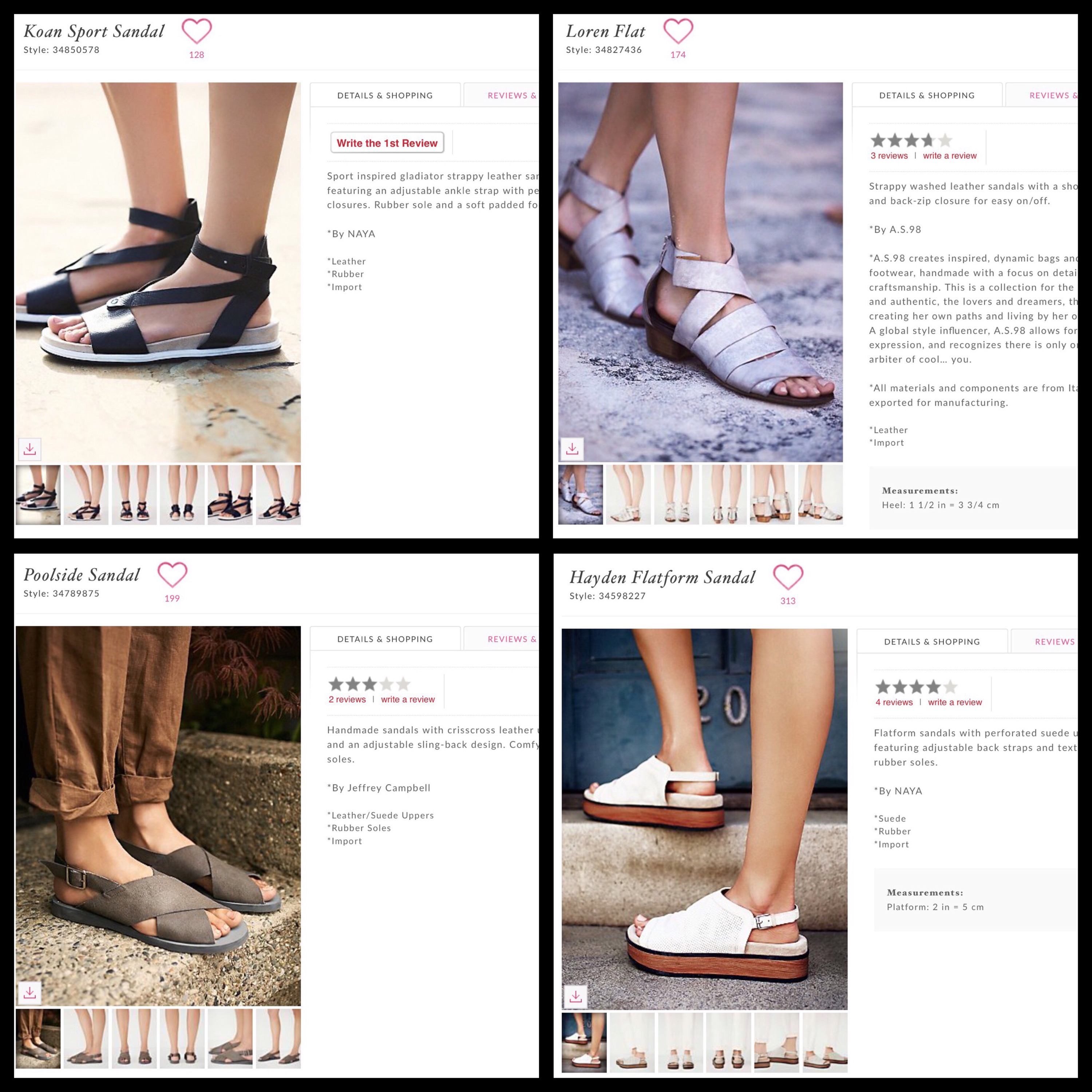
I love Free People sandals and found the pairs below while writing this article.  These are also in my shopping cart!

I also was thinking about ordering the outfit below…unfortunately it was in my cart, but now has been sold out!  if I really wanted it, I could ask to be notified when it comes back into stock…but I was on the fence, so don’t think I’ll do that.


This is one dress I got last year that I often wear as a top.


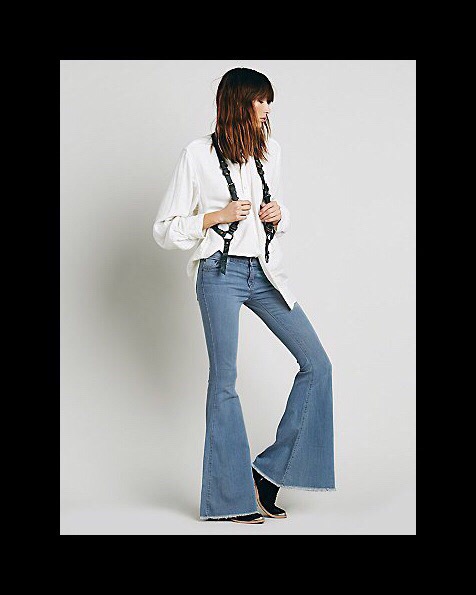
I love Free People’s jeans and got these at the beginning of summer.


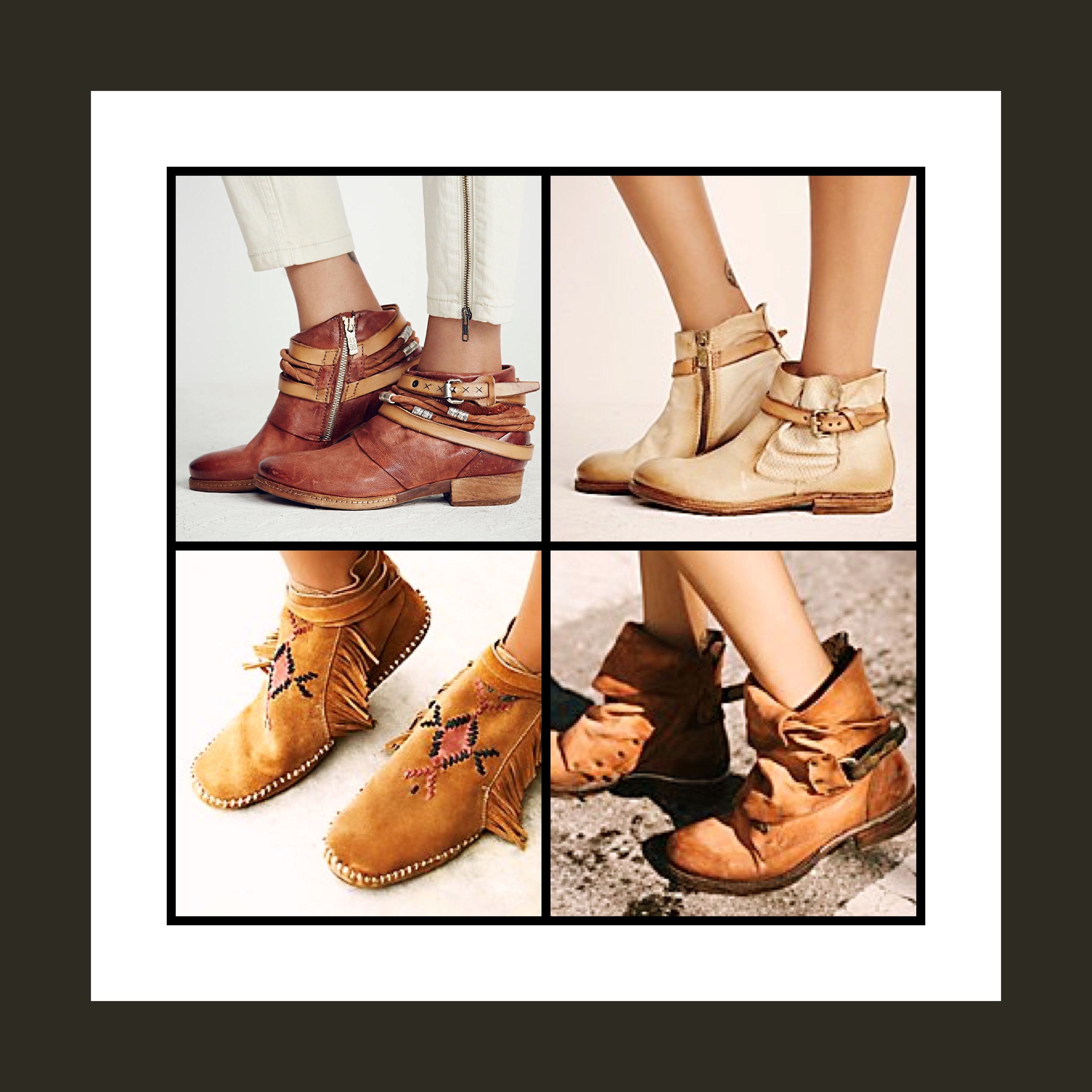
I really really love most of Free People’s boots!


Happy Travels & Happy Shopping!!!

How to Prevent or Remove Green Color from Blond Hair (Caused by Swimming Pool)

Standard

Summer’s heat, for me, means swimming pools…but swimming pools are not ‘Blond Friendly’!

examples of swimming pool green hair
I still can’t believe that summer came and has almost left already!  Maybe that’s because in my neck of the woods, the northern Midwest USA, our summer weather made it’s appearance very late this year,  Sure there were a few warm days here and there…but they were few and far between, up until mid-July.

But now it’s early September, and fall seems to be here…most kids have even started school  already…how depressing :-(

In anticipation of this summer’s reticent heat and humidity, I took the necessary precaution of a Brazilian Keratin treatment.  This seemed really necessary to prepare my newly-colored blond-white-grey hair for summer’s arrival.  The ‘going blond‘ process was really hard on my hair.

As a new blond, the one thing that I totally didn’t anticipate was swimming pools are not very blond hair friendly!

My family and I love swimming so much that we decided to build our own pool in the backyard maybe 10-15 years ago.  Having our own pool is so great on many different levels.  Imagine my dismay when my Hair Sytlist Pedro, cautioned me as I was walking out the door following my Keratin treatment to “remember to stay out of the swimming pool’!

As the shock and horror of his words set in I asked him why.  He said that both chlorine and salt, the main methods used to keep swimming pool water clean and clear, will strip the Keratine from my hair faster than anything else.  The great effects of my 3+ hours and $300+ treatment would be completely reversed.

As this sad realization set in I began to research how I can safely enjoy my pool for the remainder of ‘summer‘ without trashing my Keratin treatment.

My research took a turn for the worse when I discovered that stripping the Keratine from my hair might not even be my biggest concern.  My hair might turn green too!

Woe is me :-(
Happily I think I’ve found a solution to the ‘green hair’ problem.

A cool website that I discovered today called Hair Romance,  provides tons of great tips, tutorials and inspiration for hair styling…especially for long to lob-lengthed styles.  The website’s author also has a great YouTube channel called Hair Romance TV for video tutorials.  I only had time to watch a few videos, but I gotta say “I love Hair Romance TV!”  

I learned why blond hair actually becomes green in swimming pools…it’s not the chlorine but apparently it’s the copper that’s in the water that causes this effect.  I also learned how to prevent it from happening.

Preventing Green Hair

  1. Get your hair wet before swimming with ‘regular’ water
  2. Wear a swimming cap
  3. Coat your hair with a ‘barrier’
  4. Combine 2 and 3 for the greatest protection
  5. Rinse, or better yet wash you hair, asap following swimming
  6. If green appears, use a tomatoe ketchup hair mask to remove it

Here’s another ‘entertaining but not entirely successful test’ video:  YouTube Video Testing Ketchup Technique by someone else who tested out the tomato ketchup removal technique.

…about me

Standard

Hello world!   Welcome to My New Blog About Style & Design…

Me headshotThis is my newest blog on WordPress.  Since I’ve always loved fashion, style & design, so I decided to create a separate website for topics that only center around those themes. Which means I’ll leave my vsatips site to focus exclusively on my first love, tech topics.

You can read more about me and how I ended up choosing this course at my vsatips website.  Then, if you’re still interested, you can read even a little bit more about me, about all that and about how it all relates to this new site vsatrends at a little bit more about me.


One reason I decided to create a separate blog for design related trends and ideas is because I need to figure out a better method for making a site that’s both responsive, mobile friendly, and adaptable to many of the minimalist themes that I love going forward.

I figured that a style and design blog would be the perfect place to test out new themes and templates.  It will also allow me to try keeping current with website graphical designs too.  So for now, I’m using the Writer theme.  This will hopefully suit my concept for an image based, minimally wordy site.

Whether or not I can pull off that feat is yet to be determined!

One additional thing that I still need to figure out is where to put my growing section of ‘hard to categorizecontent.  These posts are currently located at my vsatips site under ‘Things I Love’…which doesn’t really make complete sense I know!

But it’s late now, and I got a lot accomplished already by setting this new site up…so I’ll leave that decision for another day.